With exclusive features and the most advanced performance technology. Take your videos’ conversion, retention, and security to the next level.
Free Trial for 14 Days
Increase your ROI your security your conversion
Start your free trial at Viteo today and understand how more than 50 thousand users worldwide are already boosting their results with just 1 quick change to their videos.
🚀 Maximum Performance
More Features, More Results
Discover Viteo’s exclusive features to boost your videos’ performance and results to the next level.
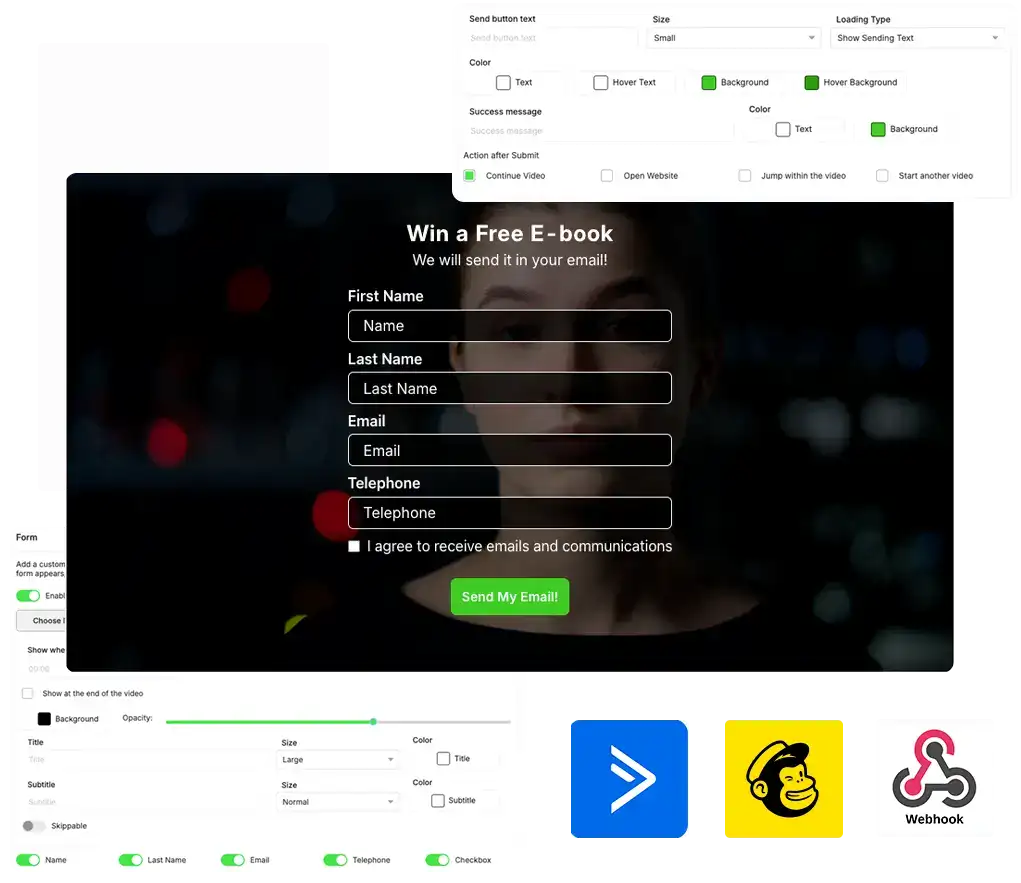
Massively increase your lead capture conversion by placing the form inside the video and capturing the lead exactly at peak attention. Registration happens without the user leaving the screen, and the next step of the funnel triggers automatically.
Choose the perfect moment for the form to appear in your video, define the fields you want to collect and what happens after submission (continue the video, skip to another section, open another page or start another video) and connect everything with ActiveCampaign, Mailchimp, Webhook or directly in the Viteo dashboard.
- Reduce your CPA/CPL and capture more leads with the same traffic.
- Decrease the use of other tools and integrate everything in 1 place.
Use Forms in launch VSLs, evergreen funnels, recorded classes or webinars to capture leads much easier and faster, and already integrate with your CRM or email list for the next funnel stages.
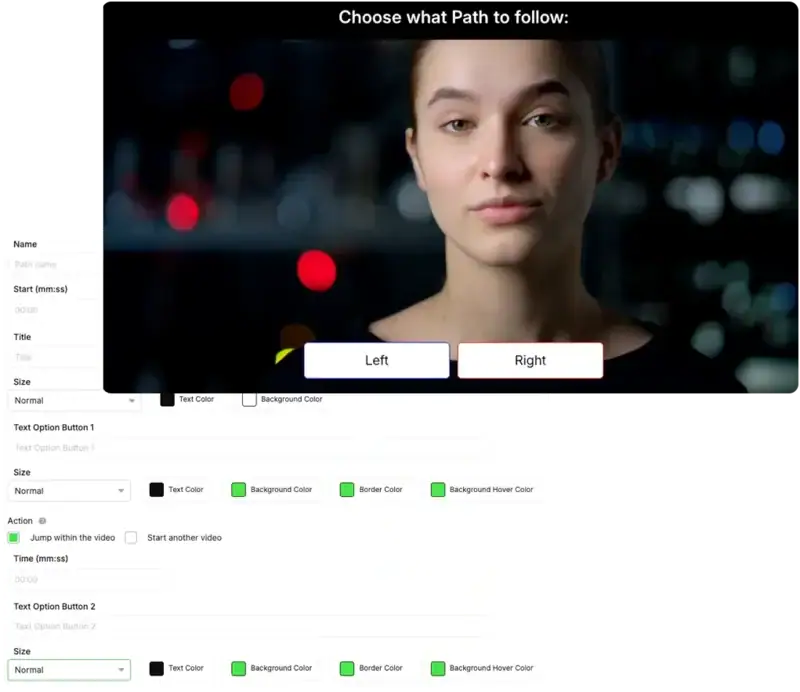
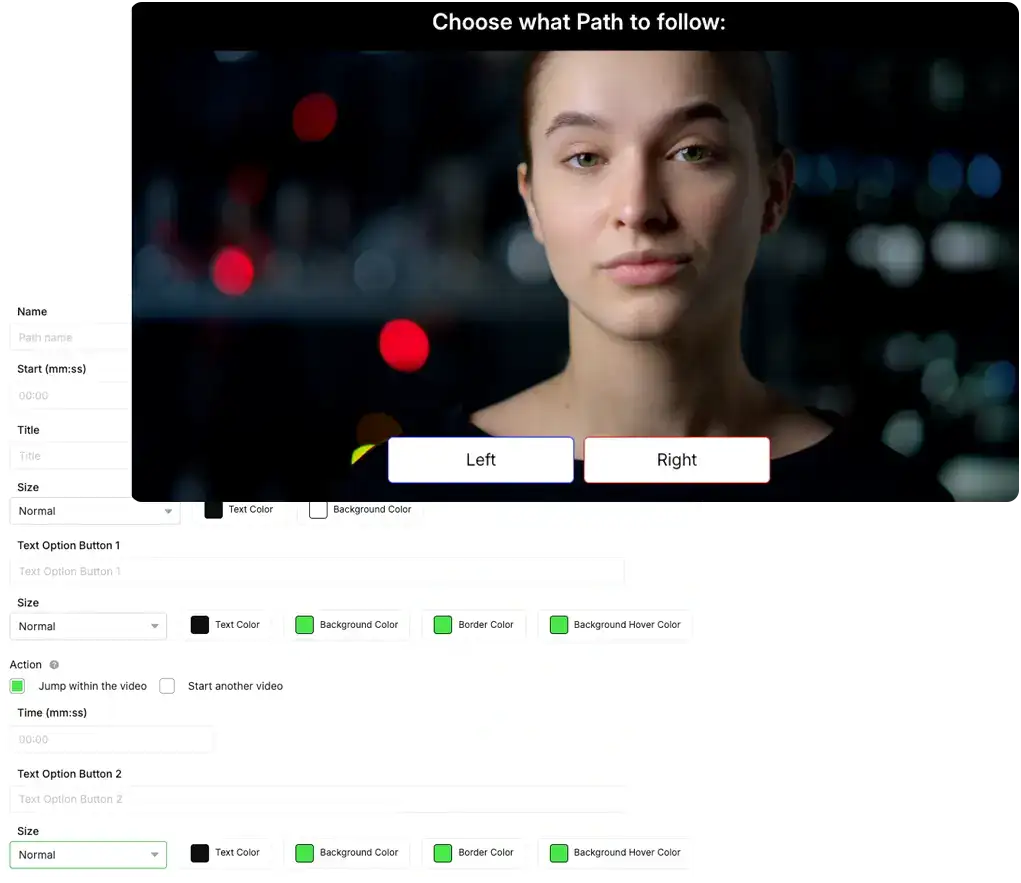
With the Paths tool you create inside your own video multiple paths that the viewer can follow. Choose when the question will appear, the possible answers, and the action of each button, like starting a new video or skipping to a different section of the current video.
Segment your viewers inside the video itself, and increase retention and conversion with personalized content specific to each segmentation. And track everything through detailed analytics.
- Segment your audience in the video itself, and increase retention.
- Create multiple funnels with a single video, testing different messages and offers.
You can use different videos and copy for different audiences within the same video, such as Men/Women, Beginner/Advanced and Already Knows/Doesn't Know, for example.
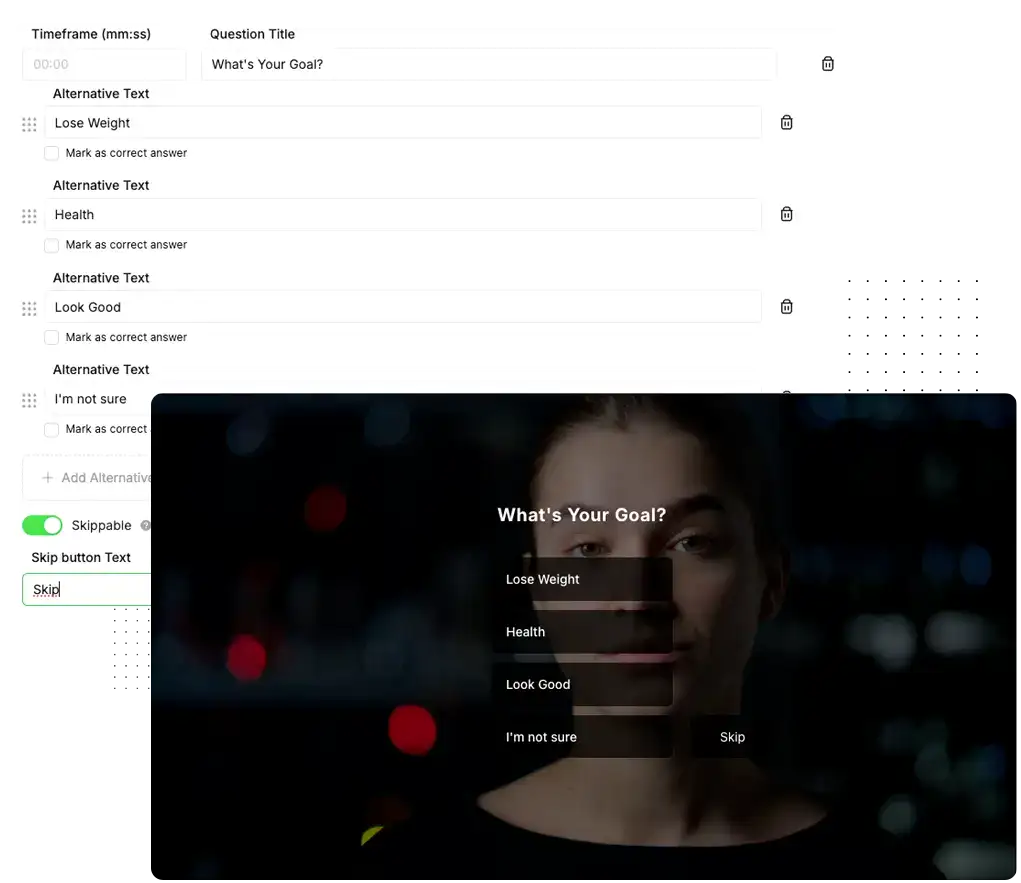
Increase the retention and interaction level of your videos. With Viteo Quiz, you insert strategic questions inside the video to keep the viewer active, thinking and clicking instead of just watching passively.
Choose the moment each question appears, define alternatives, which answer is correct and whether the quiz is mandatory or skippable, using the content to reinforce learning or warm up even more for the offer.
- Increase engagement, retention and attention level.
- Use the answers to set the stage before the pitch and increase conversion.
Use Quiz in VSLs, recorded classes or members area videos to test if the person understood, reinforce key points and keep attention high until the final CTA.
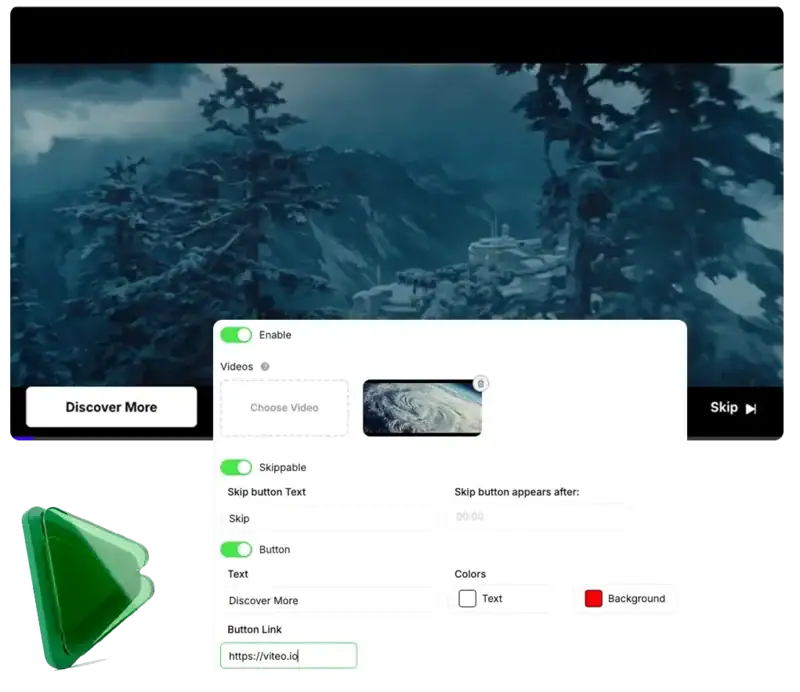
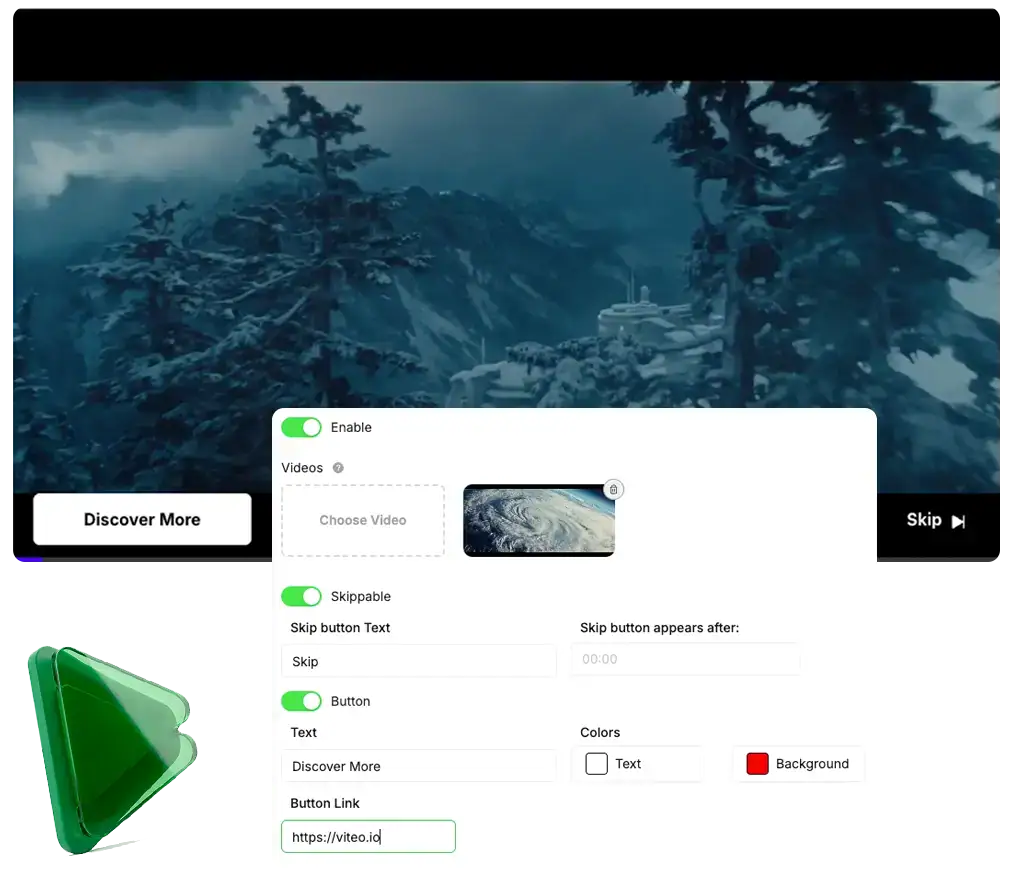
Transform the beginning of every video into the most profitable space of your funnel. With Custom Ads, you run an offer video of yours before the main content, 100% focused on your products and with a CTA ready to click.
In each player, you choose exactly which ad goes in, whether it's skippable or mandatory, after how many seconds "skip" appears and which button leads to which page, making each video sell the next product even before the class starts.
- Cross-sell and upsell other products easily.
- Increase the average order value without creating extra pages or parallel funnels.
Use Custom Ads in members area videos, recorded classes and evergreen content and do upsells and cross-sells smartly. Or in your VSL as a pre-hook.
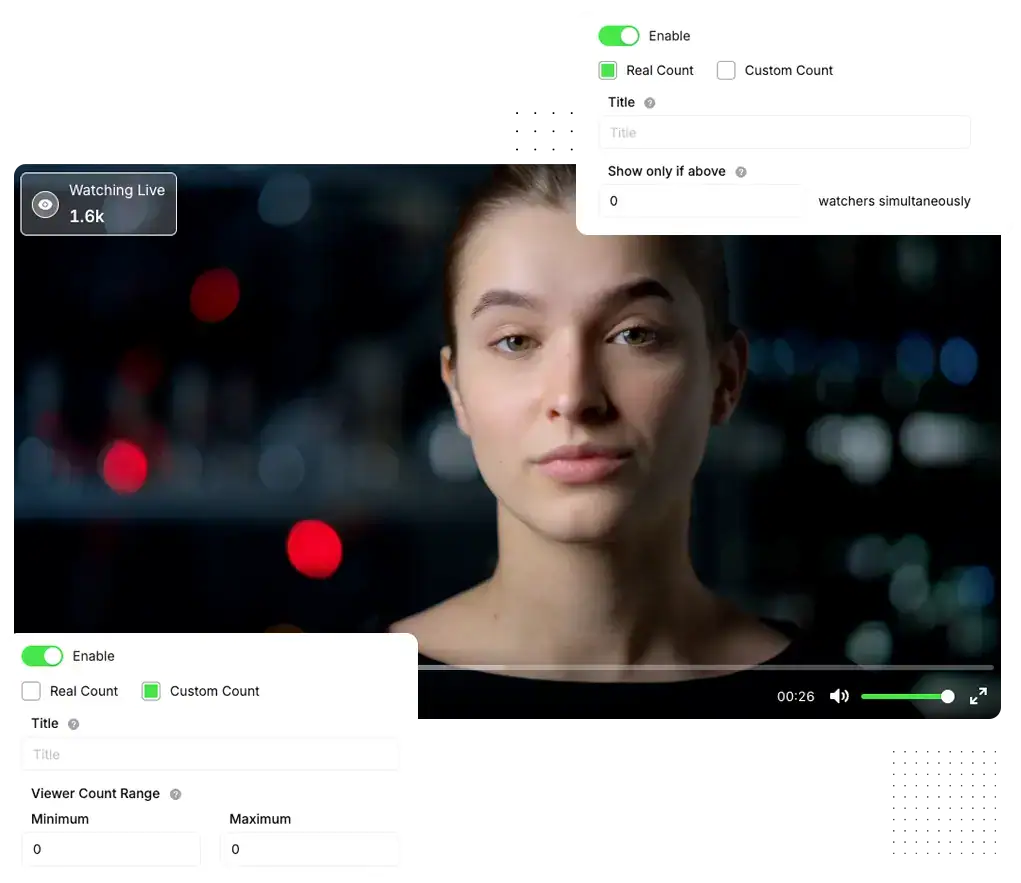
With Watching Now you put strong social proof inside the video, displaying how many people are watching at that exact moment. Increasing authority, social proof and scarcity.
You choose whether to show the real viewer count or a customized count, and even define from how many viewers the number appears (for example, only above 10 people).
- Increase the perception of authority and social proof.
- Increase your video's watch time by showing the viewer that other people are still watching.
Use in VSLs, classes and members areas to maintain the "full room" feeling and increase watch time without changing a line of your copy.
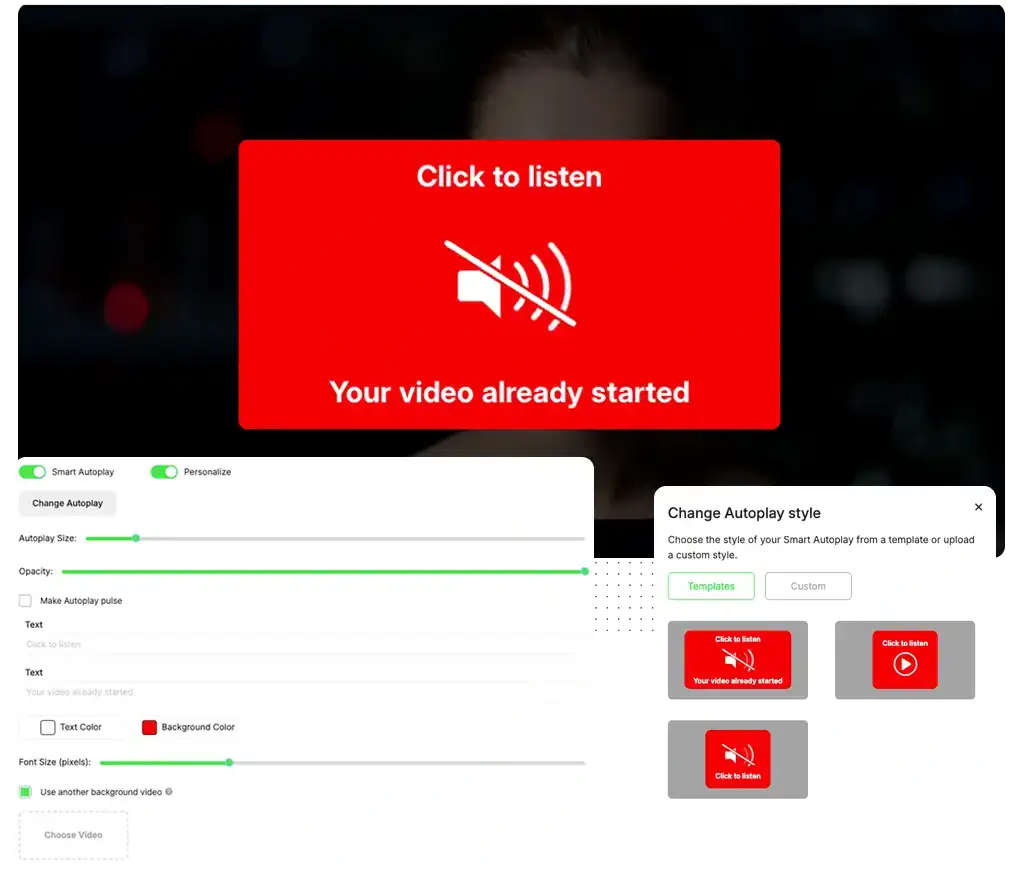
Smart AutoPlay activates the video automatically as soon as the page loads, increasing the play rate by pulling the visitor's eye to the player, generating immediate curiosity and increasing total funnel conversion.
You choose the autoplay layout, text, colors, image or even a specific background video, plus highlight effects to encourage clicking. When the visitor interacts, the main video restarts from zero with audio, so they can follow the complete message the right way.
- Increase the amount of visitors to your site who actually play your video.
- Generate curiosity and increase the conversion rate of your videos.
On VSL pages, Smart AutoPlay usually increases the number of people who actually press play and make it to the offer moment.
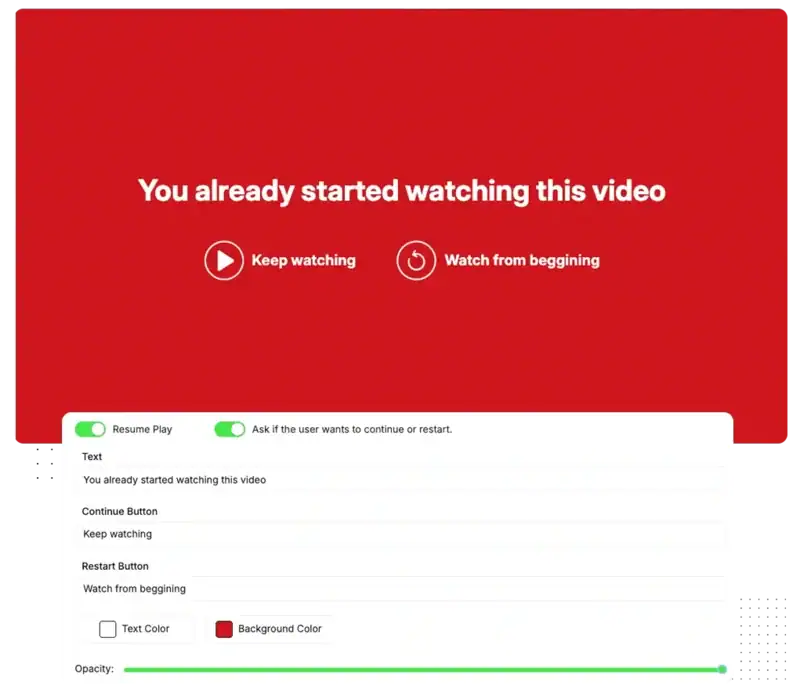
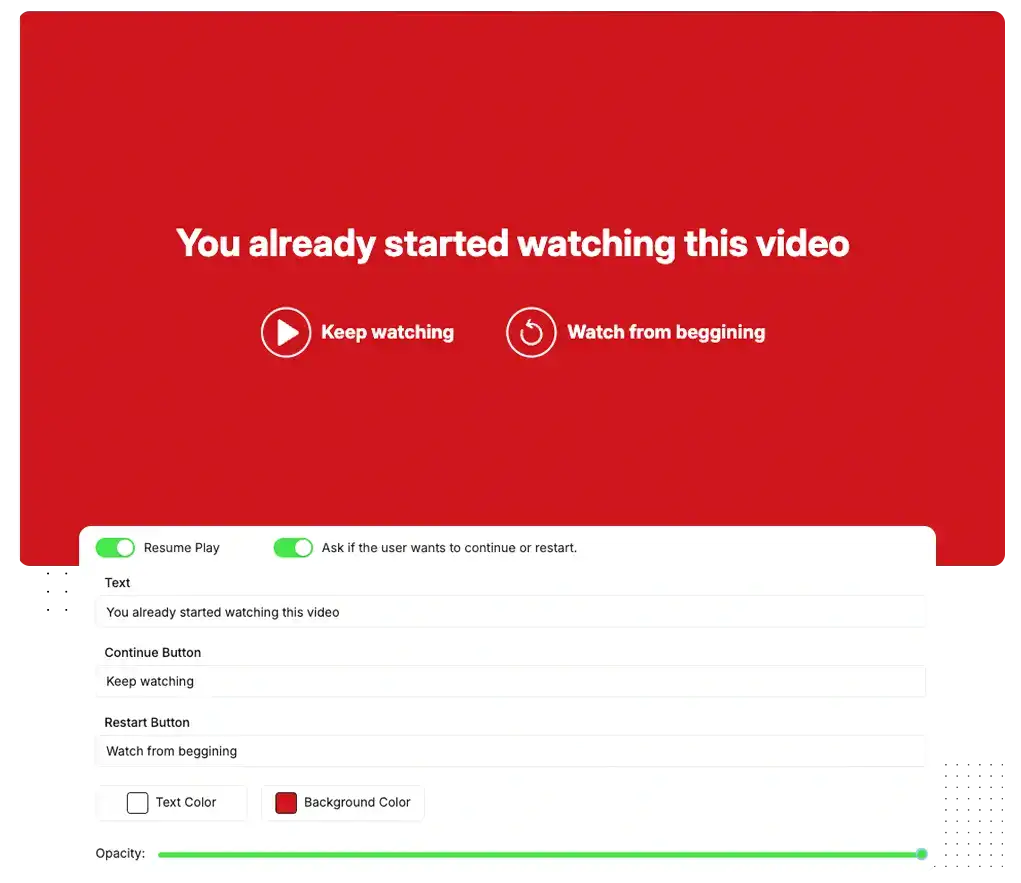
With Resume Play turned on, anyone who returns to the same page doesn't need to start all over again: the video uses cookies to remember the exact point and asks if the person wants to continue from there or restart. You leverage each reentry as a real second chance at closing.
Activate Resume Play and personalize the resume screen: background color, text color, main message and the text of the "Continue" and "Restart" buttons, greatly increasing the conversion rate at all stages.
- Provides a customized user experience.
- Increase the chance of the user reaching the offer part.
Use Resume Play in evergreen funnels and evergreen content that receive repeated visits every day, to increase conversion of returning visitors.
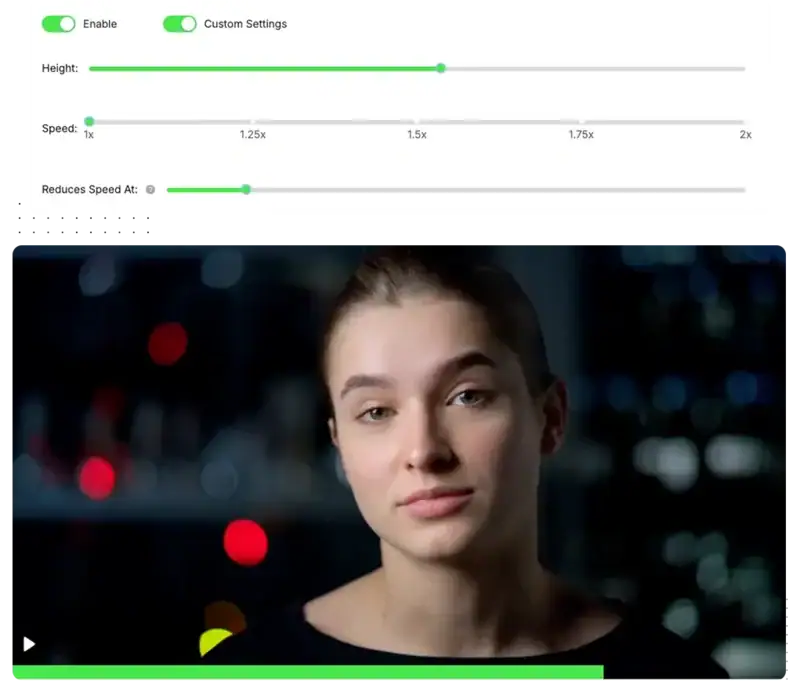
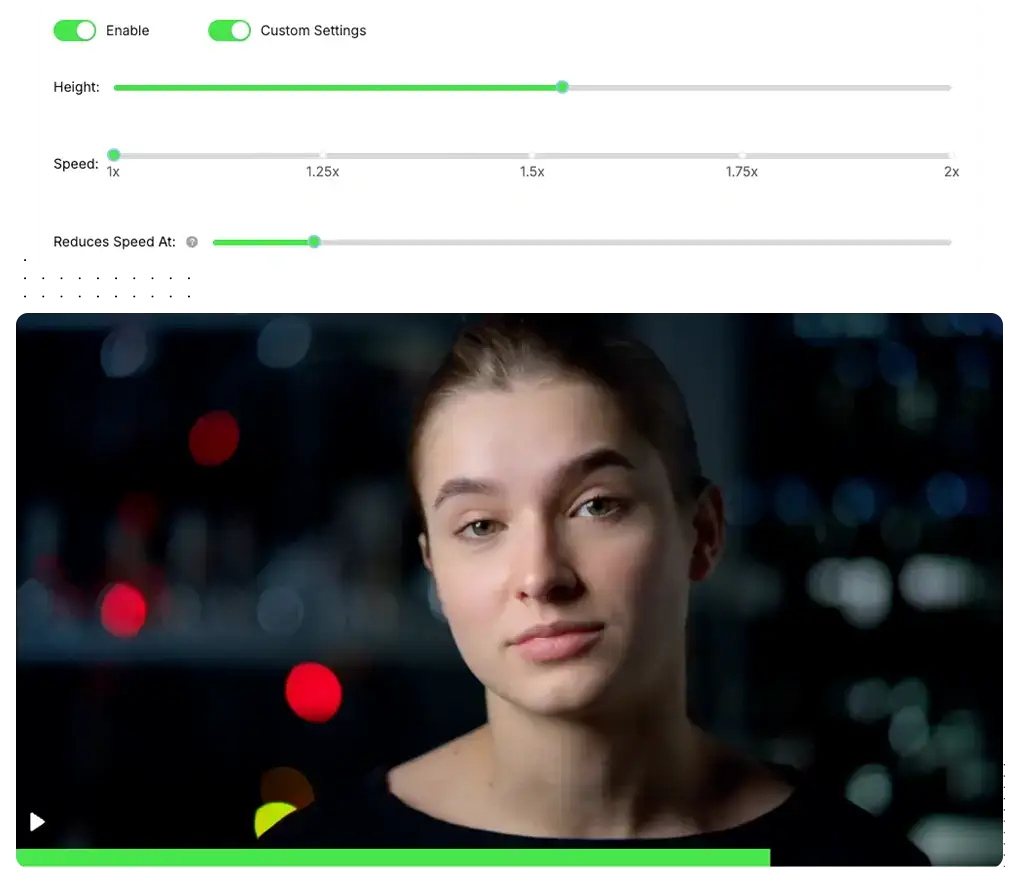
Make your video appear shorter than it actually is, giving the feeling that it is closer to the end. This reduces the impression of "video too long" and makes the viewer commit to more attention time right in the first few minutes.
You choose the bar height, set the speed (1x to 2x) and configure at what point it returns to normal, such as at 30% or 50% of the video. In a few clicks, the player works in your favor, giving a feeling of speed without altering the content.
- Make the video feel lighter and faster to watch.
- Increase retention at the most critical point of abandonment: the beginning.
In long VSLs, this simple tweak usually holds many more people until the offer moment, increasing conversion and retention.
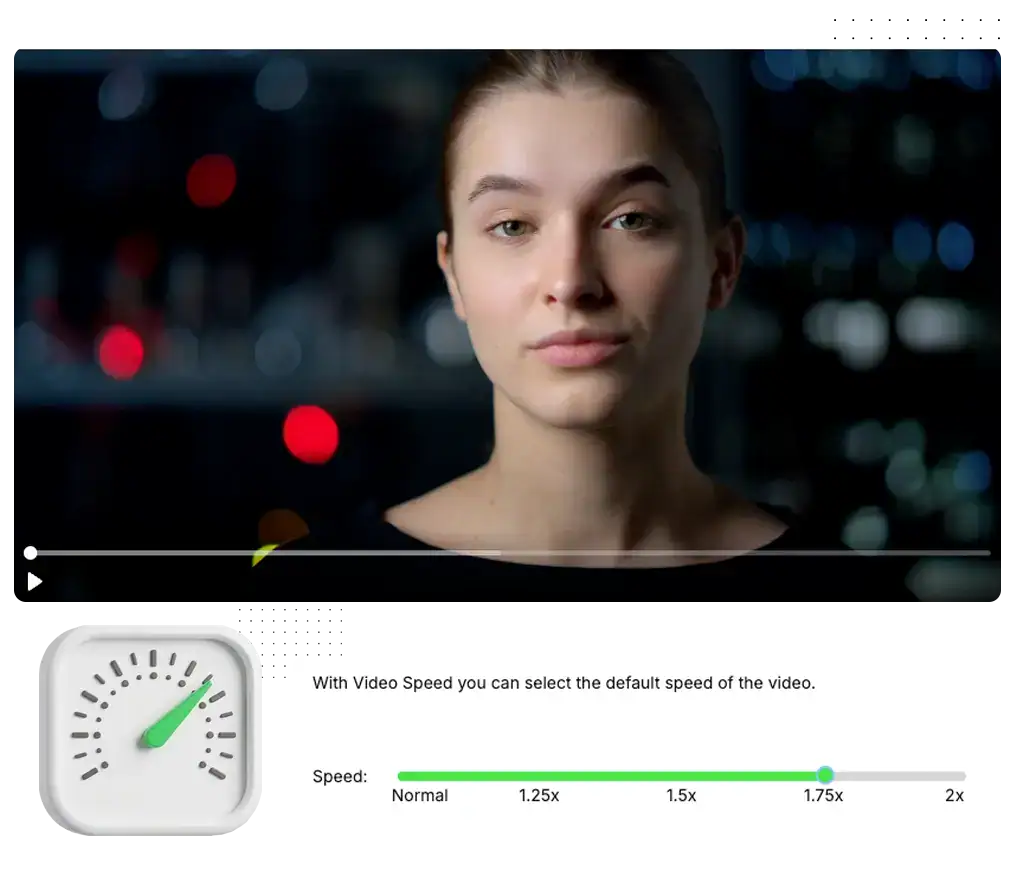
Adjust the default video speed to find the exact pace that makes your audience watch more, skip less and arrive much more prepared and with greater frequency at the offer part.
In the Viteo dashboard, set the default speed of each video (such as 1.25x, 1.5x or 2x) and use analytics to adjust the pace according to your audience's behavior, without needing to re-record or edit the content.
- Make long videos more digestible depending on your audience.
- Increase engagement and completion rate by adjusting the ideal pace for your audience.
Use in long VSLs, recorded classes and denser content, when you want to maintain depth, but need the experience to feel faster and more direct.
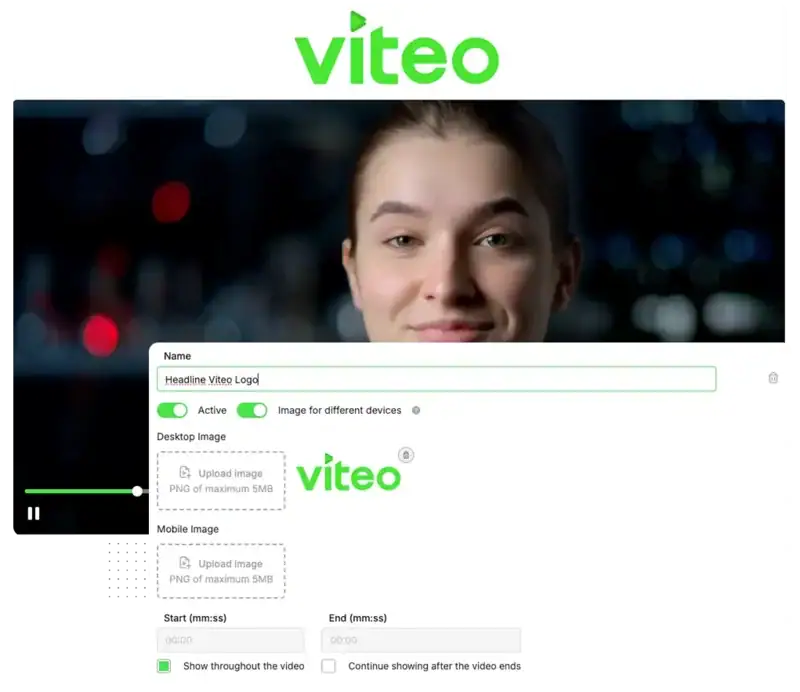
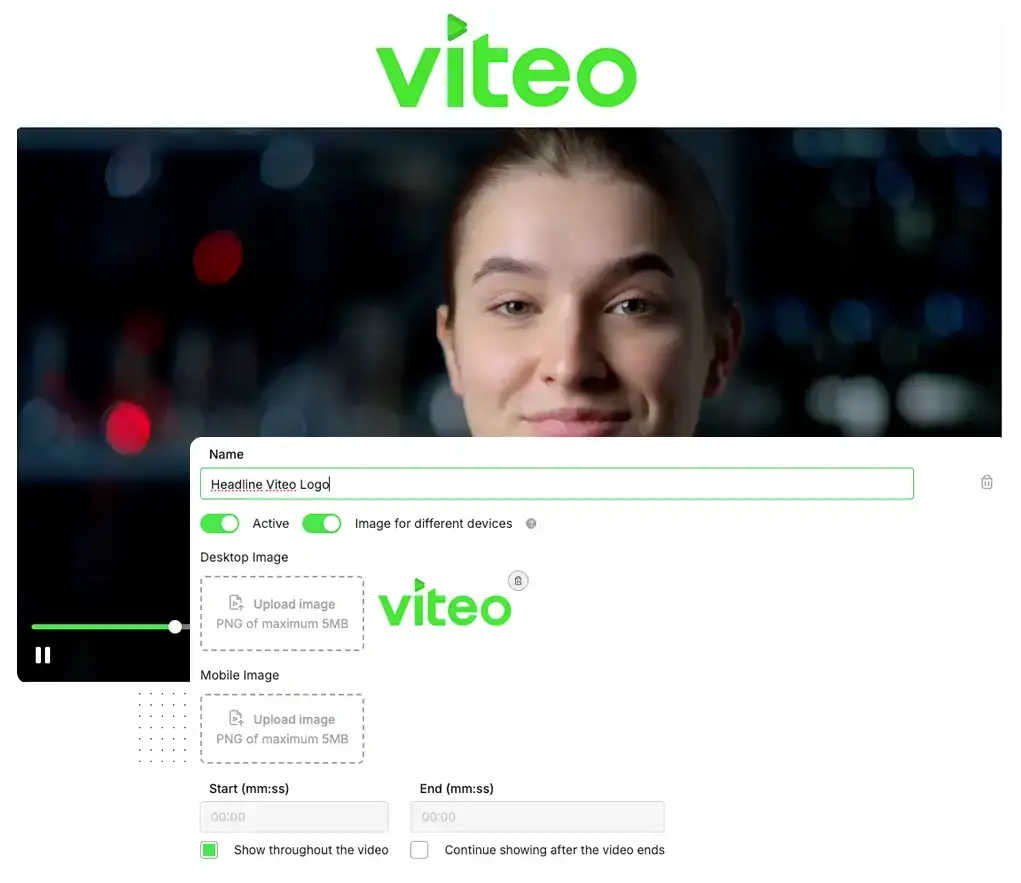
A strong Headline transforms the top of the player into the most powerful argument on the page: a visual callout that hits straight at the promise and makes the visitor stop, read and click play. Greatly increasing play rate, retention and conversion.
You can use different images in the same video, choose what minute they appear and configure distinct headlines per device. Track through analytics which one gives more conversion, retention and results.
- Increase the play rate with a strong visual callout above the player.
- Test multiple Headlines for different audiences and devices.
In VSLs and classes, a strong Headline usually increases the play rate and the number of people who reach the offer pitch. You can test different Headlines for different traffic sources and devices.
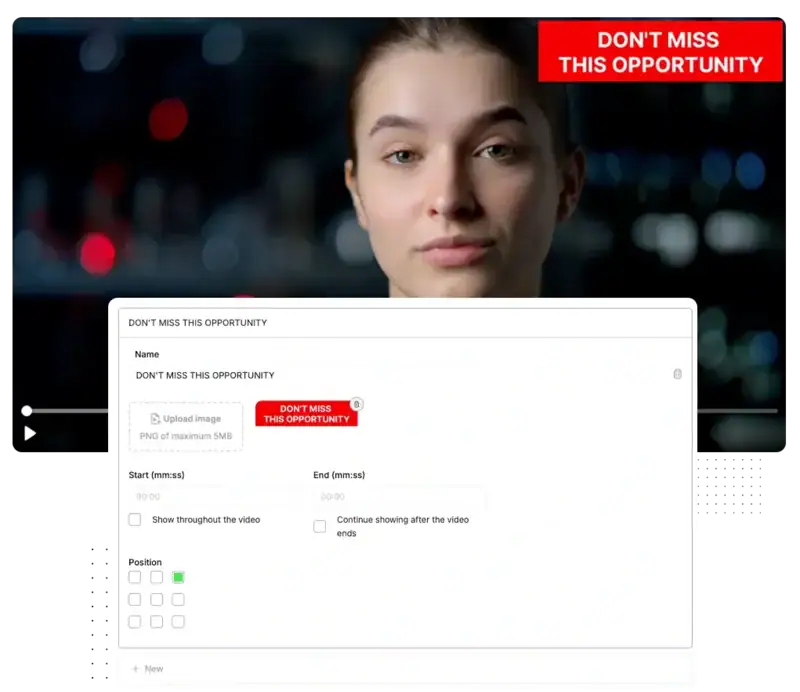
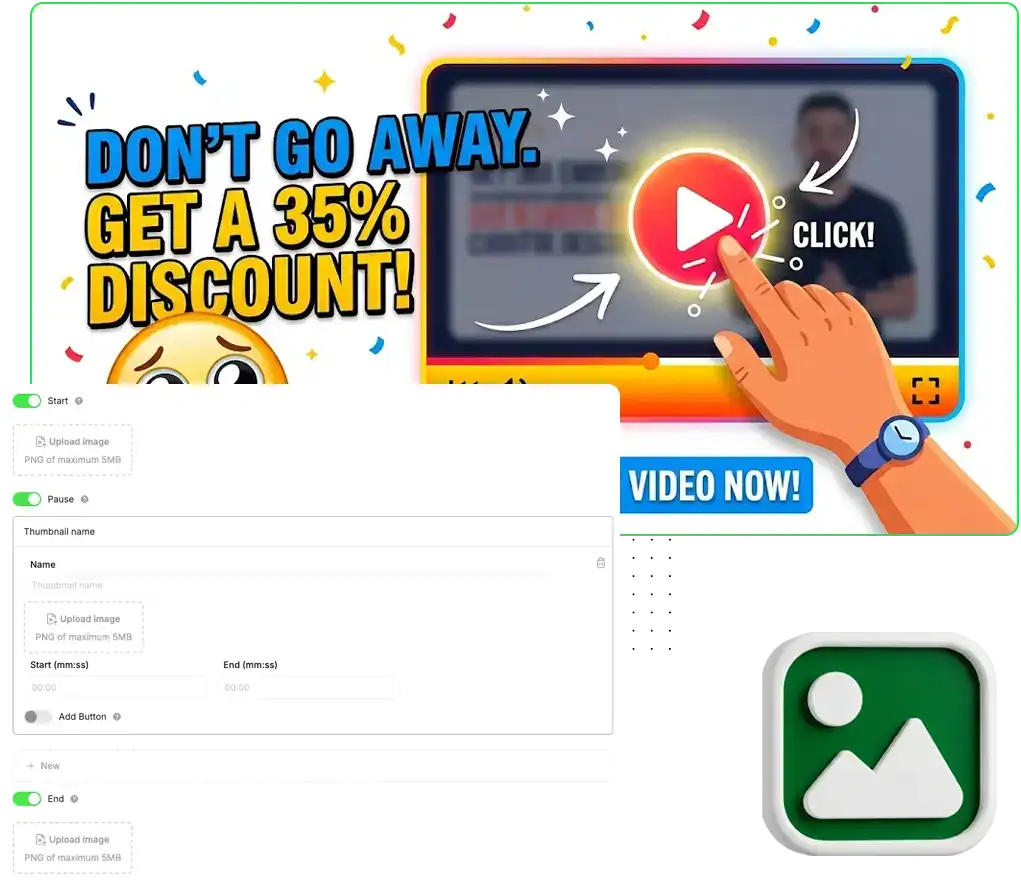
When the user pauses, attention starts to slip away, and that's where you can turn the game around. With Smart Thumbnails, instead of a random frozen frame, they see a clear message of offer, benefit or urgency that pulls them back into action.
You can set a Thumbnail for the beginning, others for specific excerpts of the video, or also for the end of the video, each one being able to have a button with customizable text, link, position, size and colors, transforming any paused screen into a CTA.
- Leverage pauses and attention drops to reinforce your offer.
- Recover those who paused, and show different messages during the video.
Increase curiosity with the initial thumbnail, recover those who paused at specific moments in the video with segmented messages and lead the user to the next stage of the funnel with a final thumbnail totally focused on the CTA.
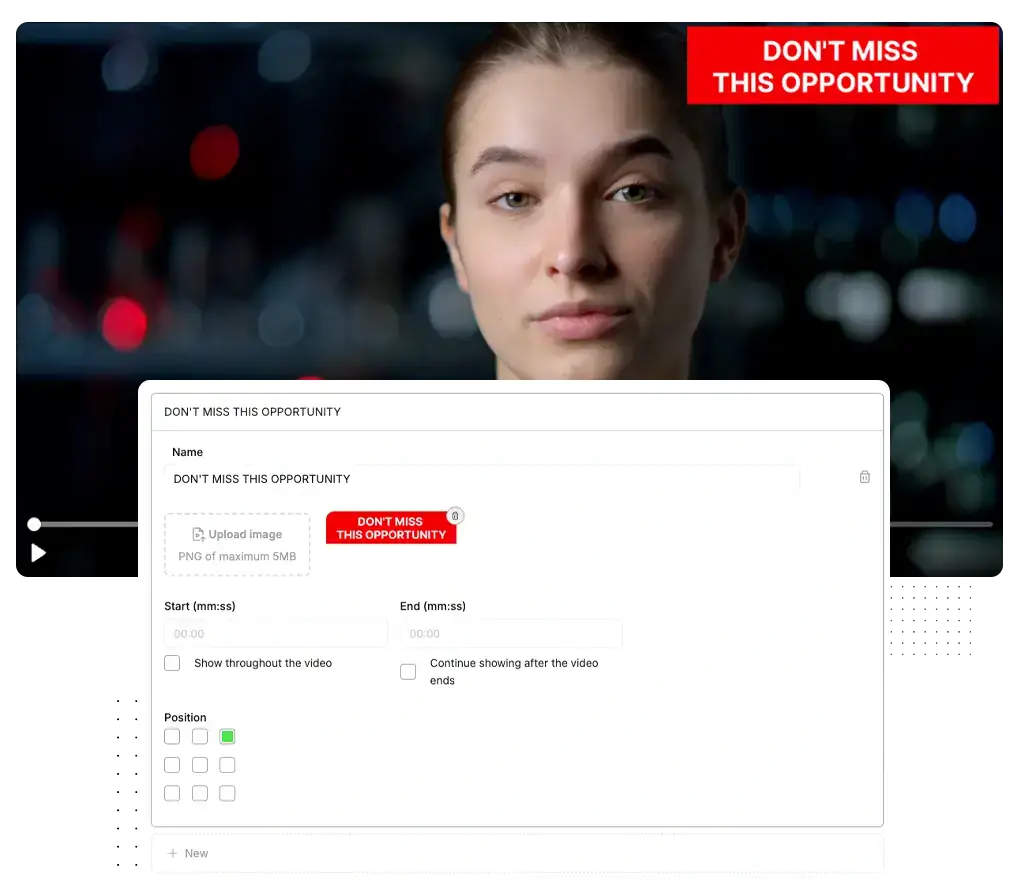
It's perfect to avoid abandonment at the most sensitive moments of your VSL: you insert visual hooks that remind them of the promise, bonus or opportunity before the CTA, holding the viewer longer.
You choose where each intra-hook goes in, how long it stays on screen and what region it appears in, and then analyze through Analytics which moments and messages most increase retention and advancement to the sales part.
- Combine copy + image inside the video to recover attention in critical stretches.
- Improve retention and conversion without needing to change the video itself.
Use in your VSL to prepare before the CTA, reinforce promises and break objections, just as you can use this feature to enrich members area content with more information in the video.
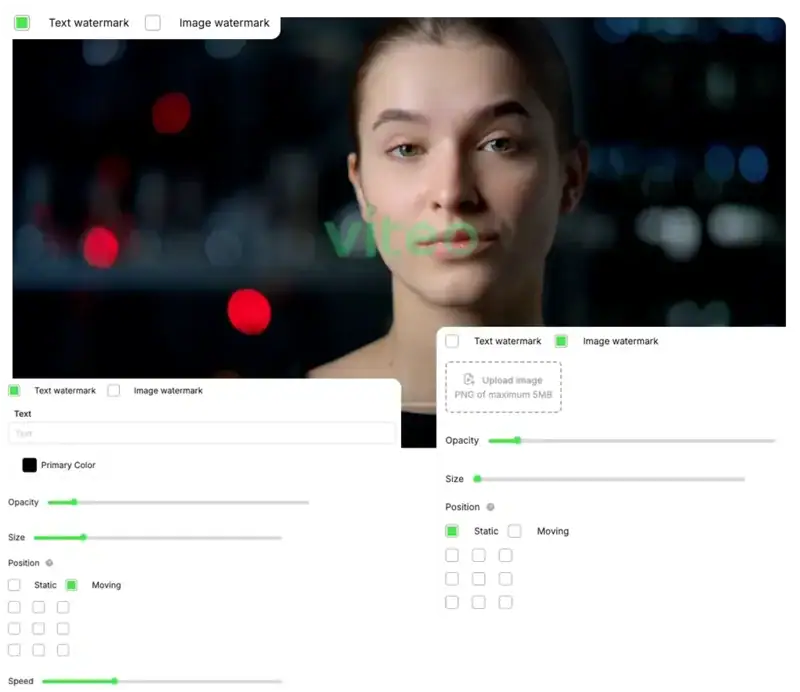
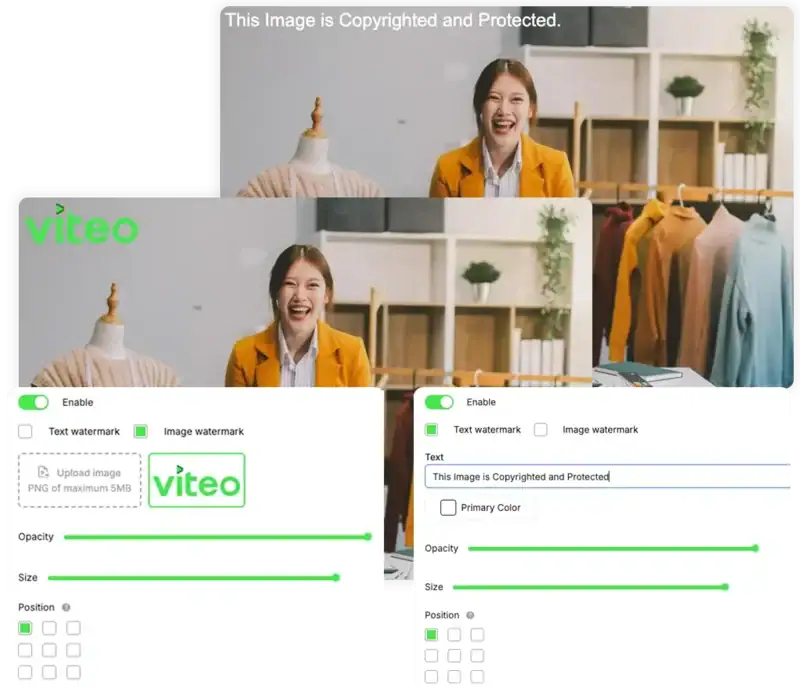
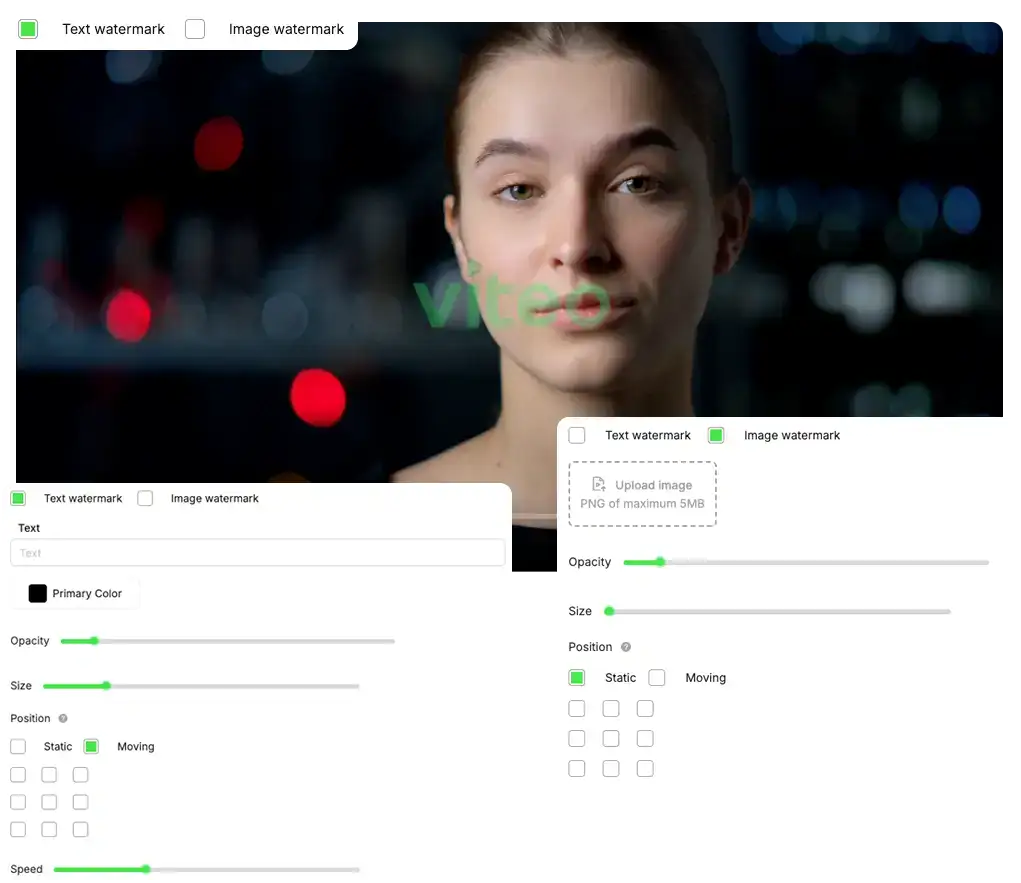
Protect your videos and images without ruining the viewing experience. With Smart Watermark, your content is clearly identified with your name or logo, making reuploads, clipping and misuse elsewhere difficult.
Choose to use text or image, adjust color, opacity and size and set whether the watermark stays fixed or moves around the player. In the video, you choose which areas it appears in and the speed of the movement. On images, it applies statically, ready for publishing.
- Further protect your content against unauthorized copying and re-uploading.
- Reinforce your brand in every video and photo, conveying more authority and professionalism.
In exclusive content, premium classes or VSLs, you increase the security of your video and together with Viteo's other security features, protect your videos and images even more.
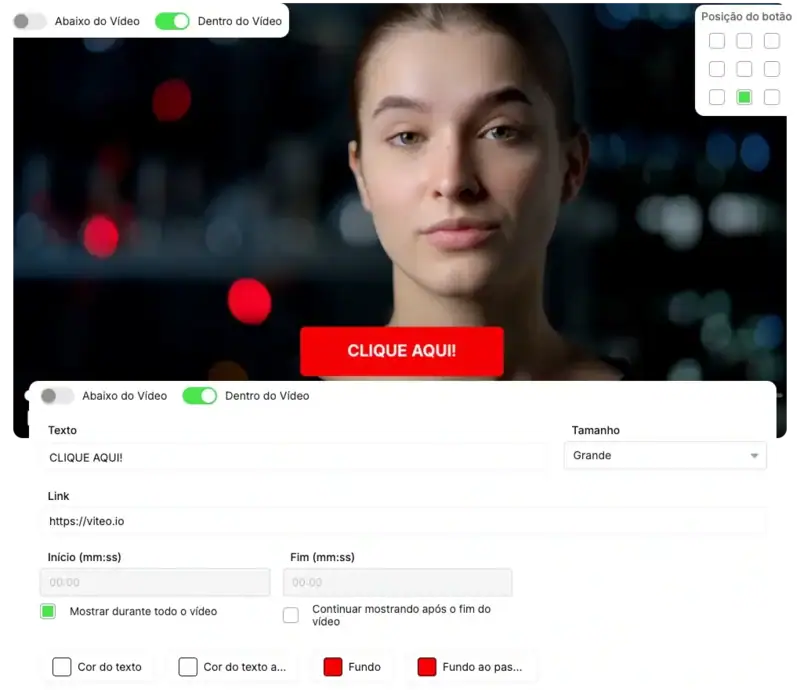
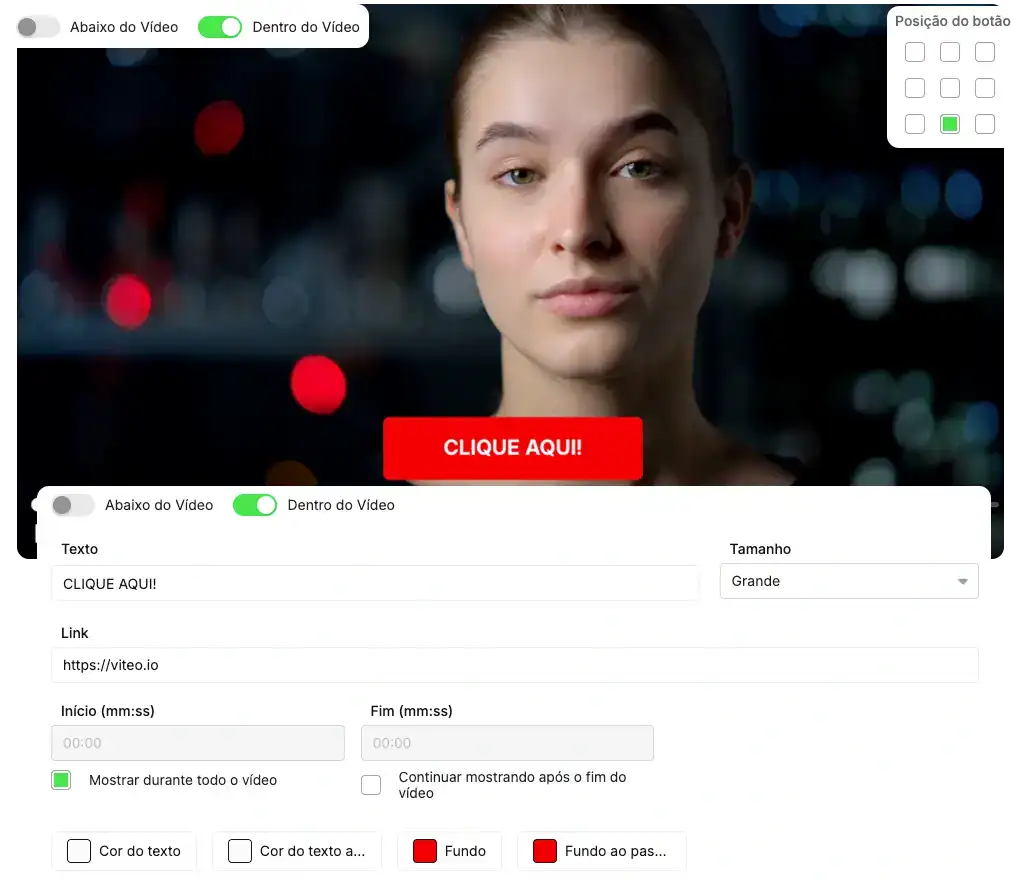
With Buttons you make the CTA enter the scene exactly when the pitch happens, inside or right below the video. No loose buttons on the page ahead of time: the person hears the offer and, in the exact same second, sees where to click to move forward.
In the Viteo dashboard, you choose the exact second of entry and exit, whether the button stays the whole video or just in a section, define position, size, text, link, color and hover, and track everything through Analytics, testing different copy and visuals across various videos.
- Show the button directly in your video, at the exact moment of the pitch.
- Improve performance by measuring which color, text and position brings the highest volume of clicks and conversion.
Ideal for VSLs, offer pages, upsells, webinars and evergreen funnels, making your CTAs much smarter, timed and ready to convert at the exact moment.
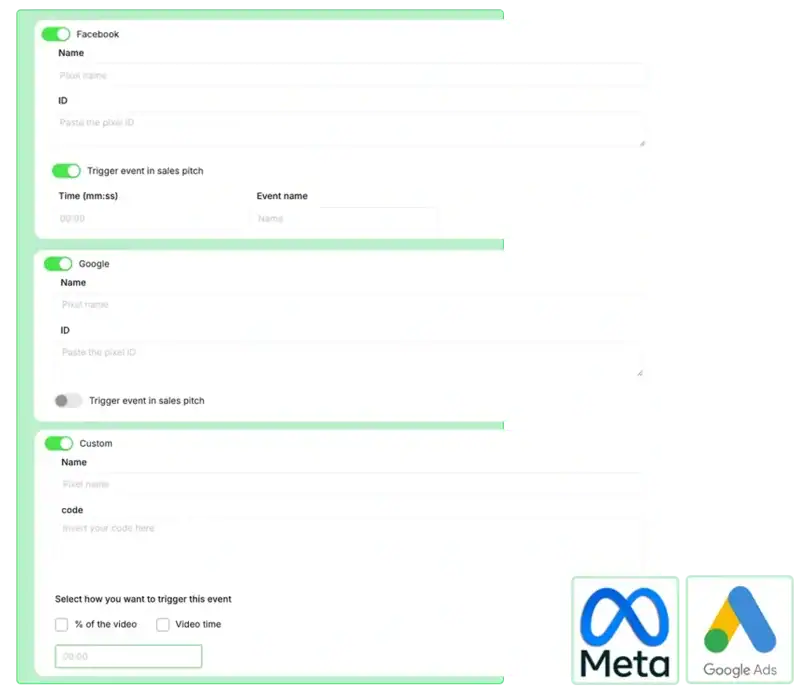
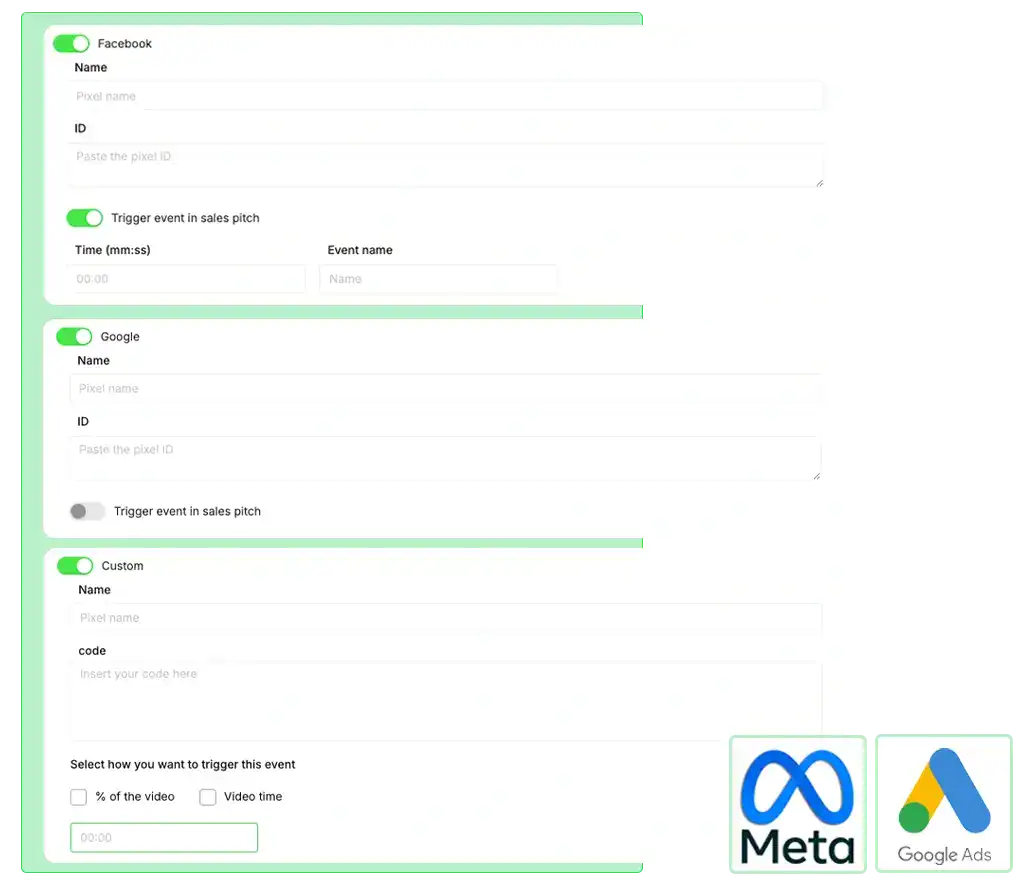
Watch time is one of the strongest intent signals there is, and you can turn this into data for your ads manager. When the pixel fires based on how much of the video was watched, your media buying starts to understand which audience is truly engaged.
Register as many pixels as you need, configure name, ID and code and choose at what moment of the video each event is sent, creating audience layers: who just pressed play, who watched half, who reached the pitch, who bought.
- Optimize conversion and remarketing campaigns based on video watch time consumed.
- Create much more qualified audiences based on how much of the video each person watched.
Use Pixels throughout your video journey to continually refine audiences, making each new campaign more precise, more profitable and less reliant on guesswork.
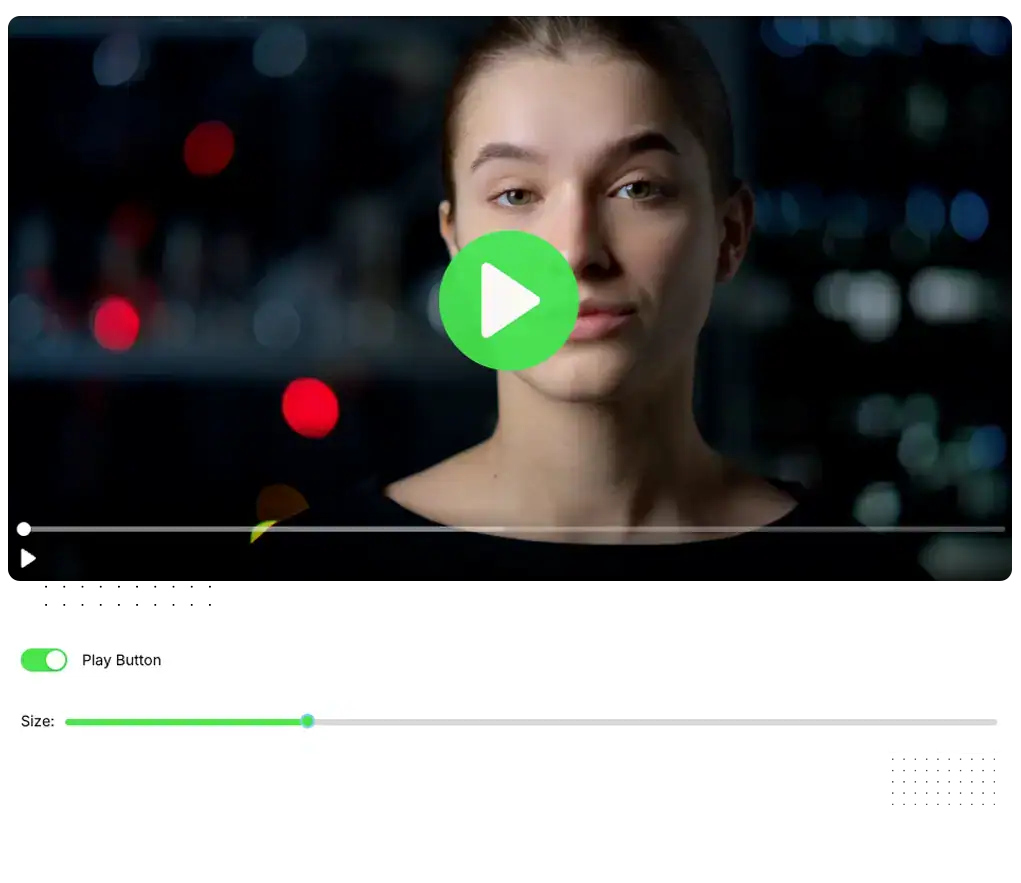
The Big Play Button is your player's "visual shout": a large play button, in the center of the screen, designed to prevent the video from going unnoticed. It catches the eye of those arriving on the page and reduces the chance of the user simply scrolling without watching.
When autoplay is activated, the button springs into action again whenever the user pauses, taking up the center of the player and serving as a strong visual reminder to continue from where they left off, instead of closing the tab or getting distracted by something else.
- Increase the play rate by making the play a clear and striking visual target.
- Recover attention when the video is paused, stimulating the user to resume watching.
Greatly increase your video's play rate, generating curiosity and making it much clearer to your page's visitors that a video is ready to be played.
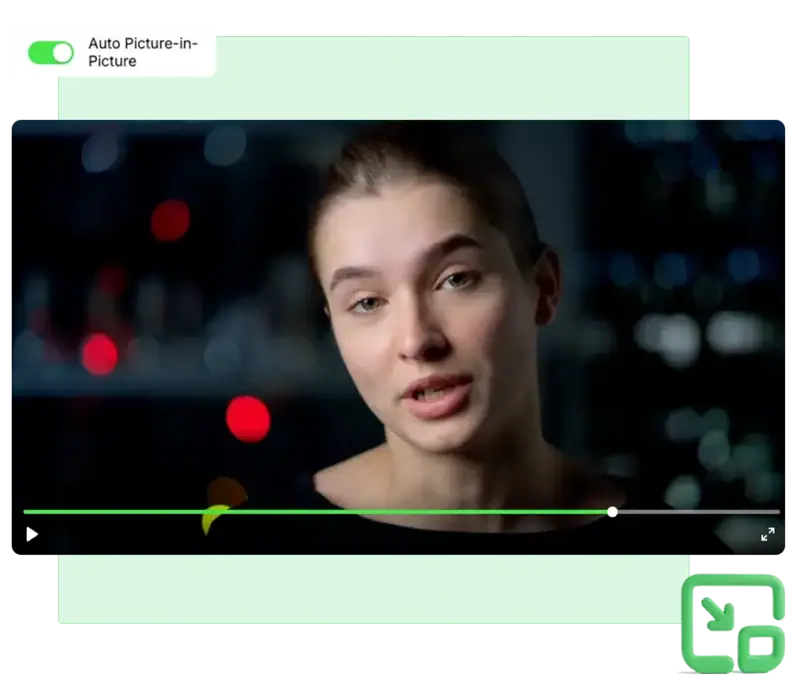
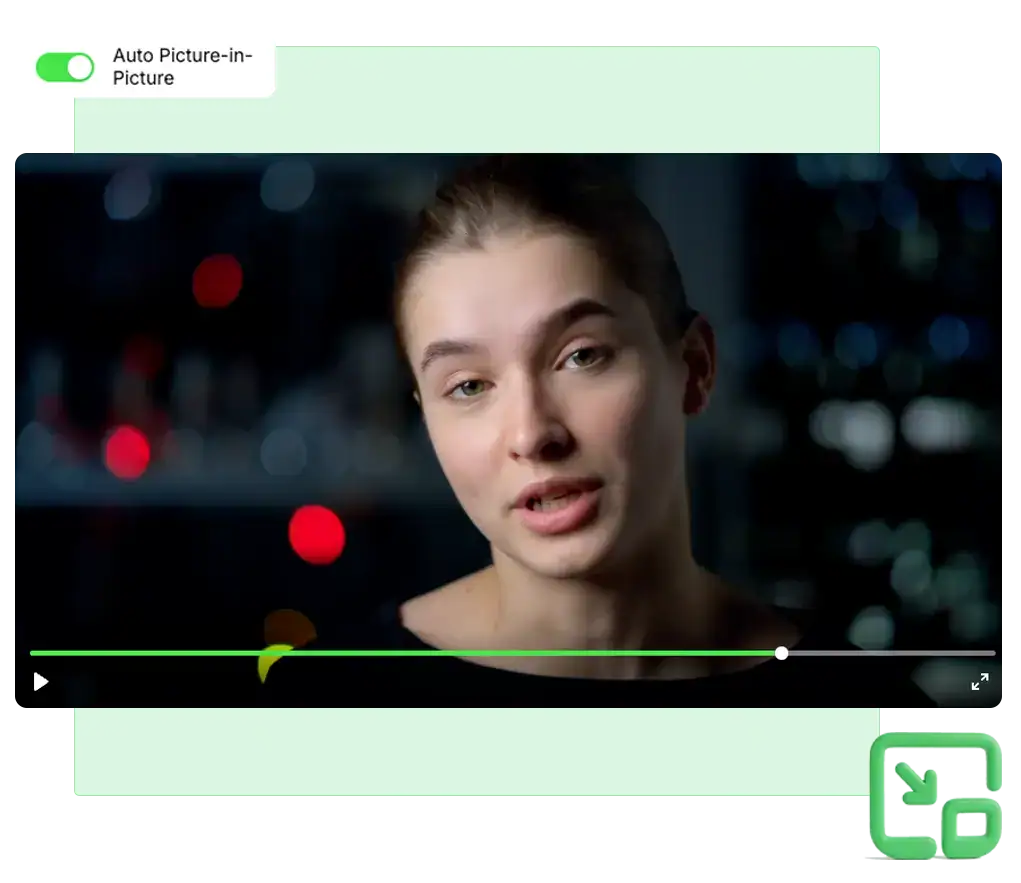
When the user switches tabs, you usually lose their attention. With Auto Picture in Picture, the video "goes along": it continues playing in a fixed thumbnail in the corner of the screen, keeping the message active even while the person browses other sites.
Simply activate the function in the Viteo dashboard and, whenever the viewer leaves the page, the player shrinks in size but keeps running in floating mode, ensuring they finish hearing the content without having to choose between watching or doing something else.
- Increase average watch time and video completion.
- Avoid abandonment from simply switching tabs or multitasking.
With Auto Picture in Picture the user has by default an even more premium experience, and it also increases the retention of your videos.
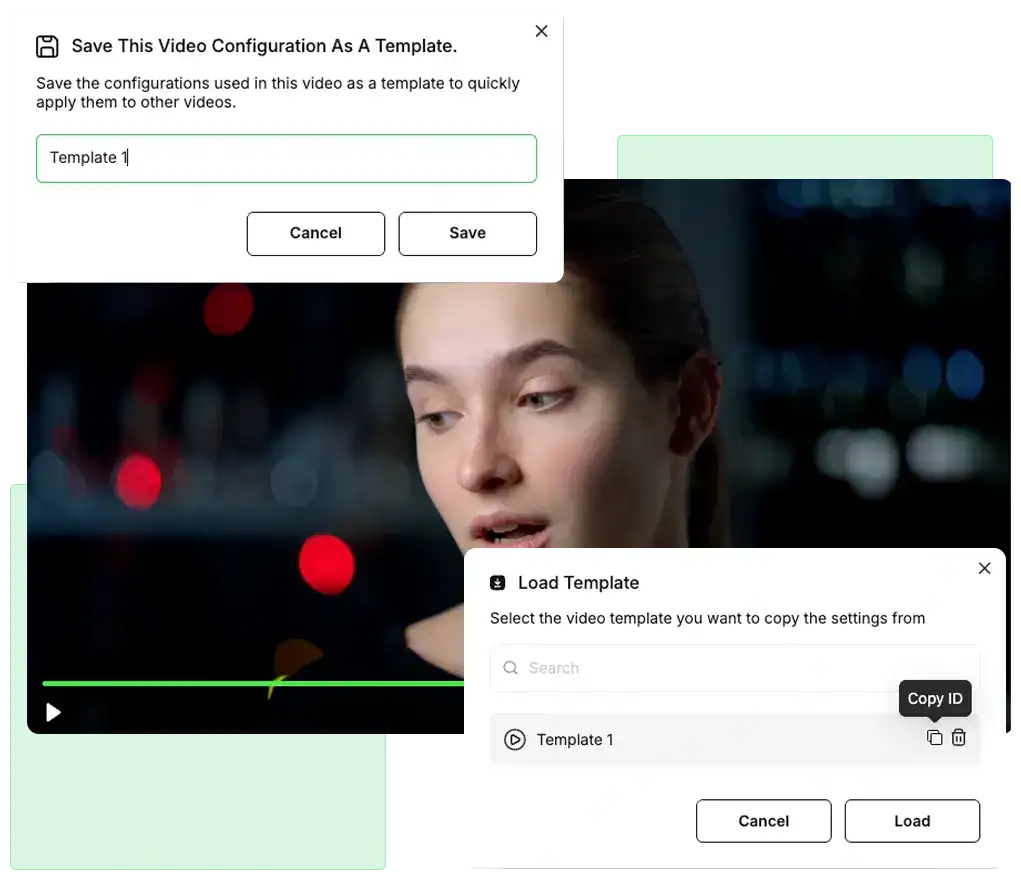
Instead of building the player from scratch every time, you turn a well-configured video into a model: save it as a template and reuse the same layout, branding and features on the next videos, applying the template directly from the dashboard, in seconds.
If you want to go further, use that template's ID in your API integration, defining that every video sent via API goes to a specific folder, and already uses this template created by you, with logo, colors, buttons, forms and other features activated exactly as you decided.
- Create custom templates that are fast and easy to use
- Gain scale by connecting the Viteo API and automatically applying the same setup to hundreds of new videos.
You can test the same video, but changing only a specific detail in each one, and by using the template you save the time of configuring everything again.
And through the API, you can define that all videos uploaded by that API will come with that specific template, whether with your company logo, colors, or other features.
Create a better experience for viewers by connecting what to watch next automatically, increasing watch time, engagement and retention, encouraging the user to continue.
Build playlists with one or several videos, organize the exact order, rename the list and configure the "next video" screen with your own text, countdown and color scheme, creating a seamless and professional experience.
- Prevent the user from getting distracted between one class and another or between funnel steps.
- Keep the user inside your content ecosystem for much longer.
Use Playlist & Watch Next in online courses and training tracks to make the student binge-watch entire modules without leaving the player. Or play in sequence in marketing funnels, decreasing friction between one video and another.
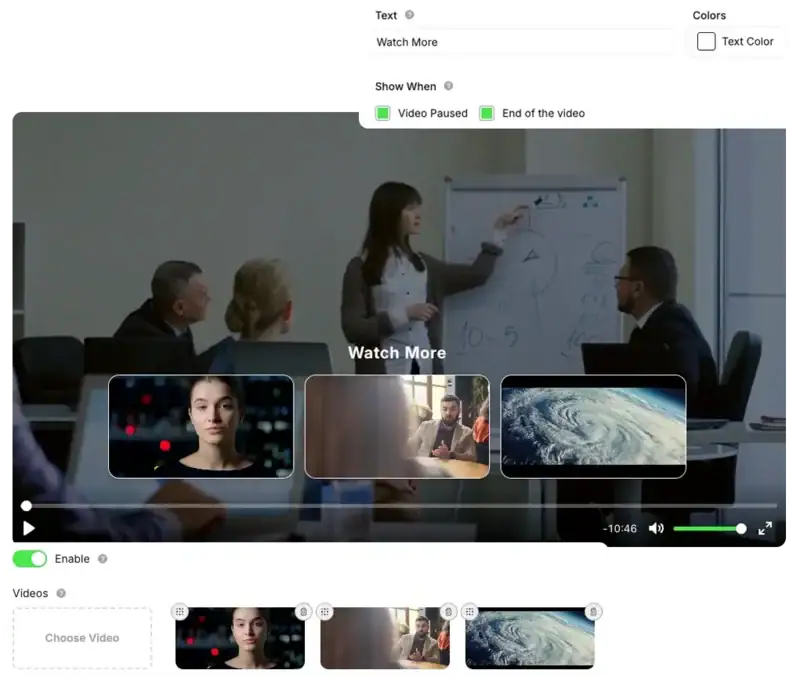
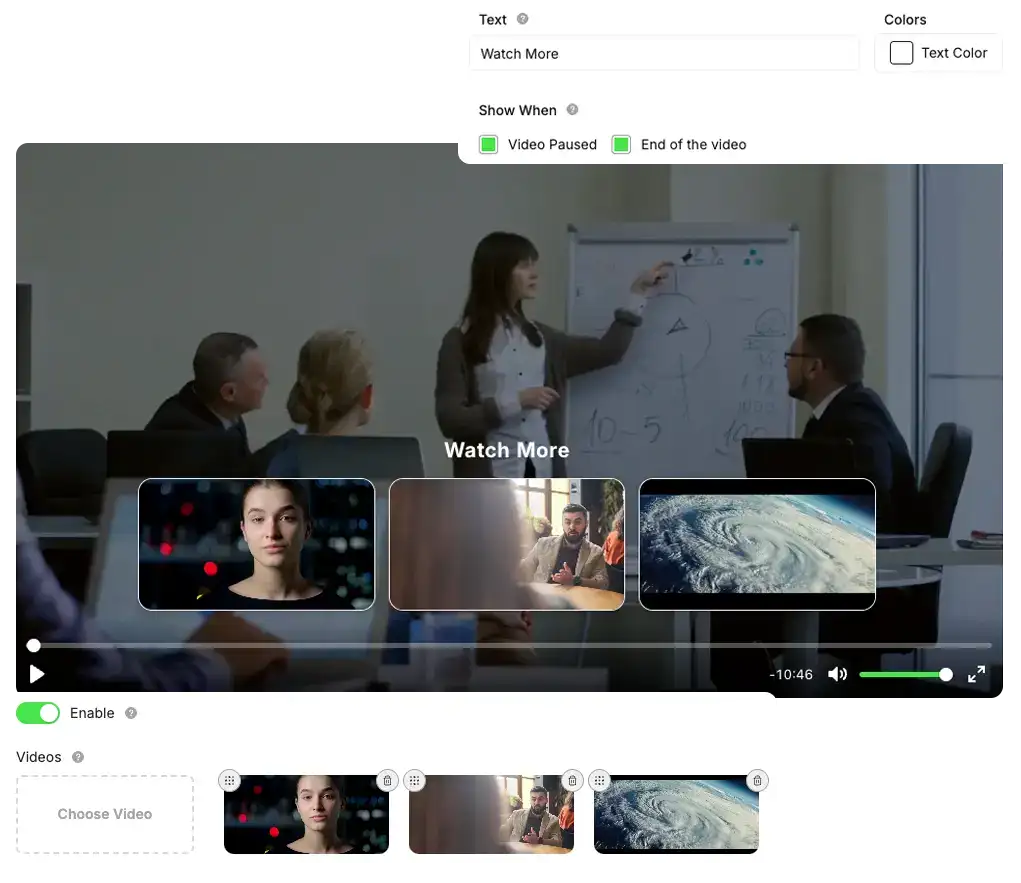
Recommended Videos is the simplest way to prevent the user from watching a single video and leaving. As soon as they pause or finish, the screen itself suggests other content of yours, encouraging them to keep watching without leaving your environment.
In the dashboard you manually select which videos will enter the recommended section, define the strategic order, edit the title, adjust the text color, plus choose whether the recommendations appear at the end, on pause or both.
- Increase retention by guiding the user to the next content.
- Build a logical sequence of content that increases trust, value and engagement.
In structures with video funnels, communities and recurring content, this helps to hold the audience for much longer consuming exactly what you want them to see.
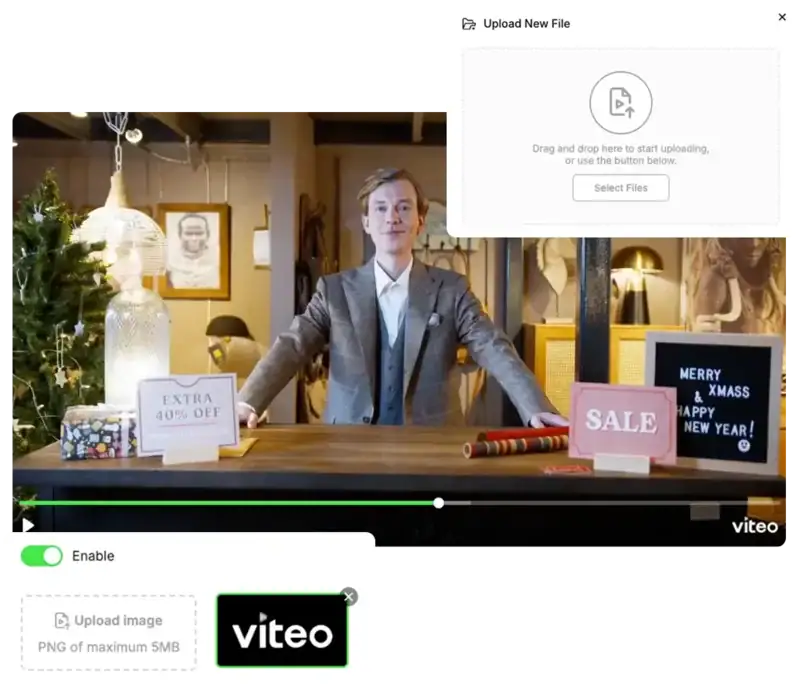
Give the player your brand's face. By displaying your logo directly in the video, you increase the feeling of your own platform, convey more professionalism and make the user instantly recognize whose content that is.
In the Viteo dashboard, simply choose the logo file and enable the display: the player takes care of showing it in the lower right corner of the control bar, without needing to edit the video file or touch code.
- Increases the authority and customization of your videos.
- Convey more trust in VSLs, paid content and classes.
Use Custom Logo in VSLs, sales pages, members areas and exclusive content to give the player your brand's look and reinforce authority in every video watched.
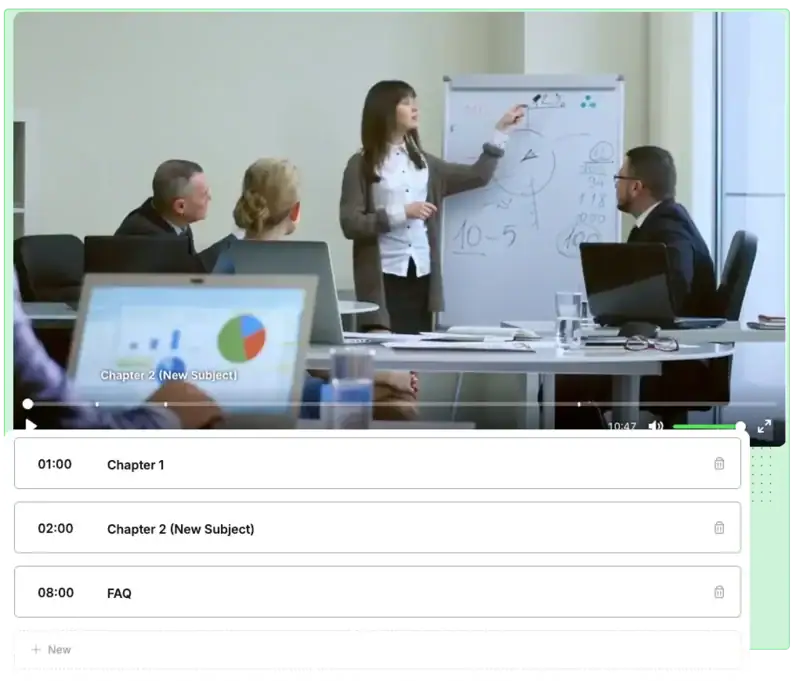
Chapters turn long videos into clear blocks of content. Markers on the progress bar show where each topic begins and, when hovering over, the viewer sees the title of each section, instantly understanding the video's structure.
In the Viteo dashboard, you define the timestamp and name of each chapter, create as many as you want and organize everything in sequence. This makes it easy to go back to specific points, review important themes and navigate the video without frustration.
- Transform extensive videos into a guided and structured journey.
- Improve the viewer experience with organized information.
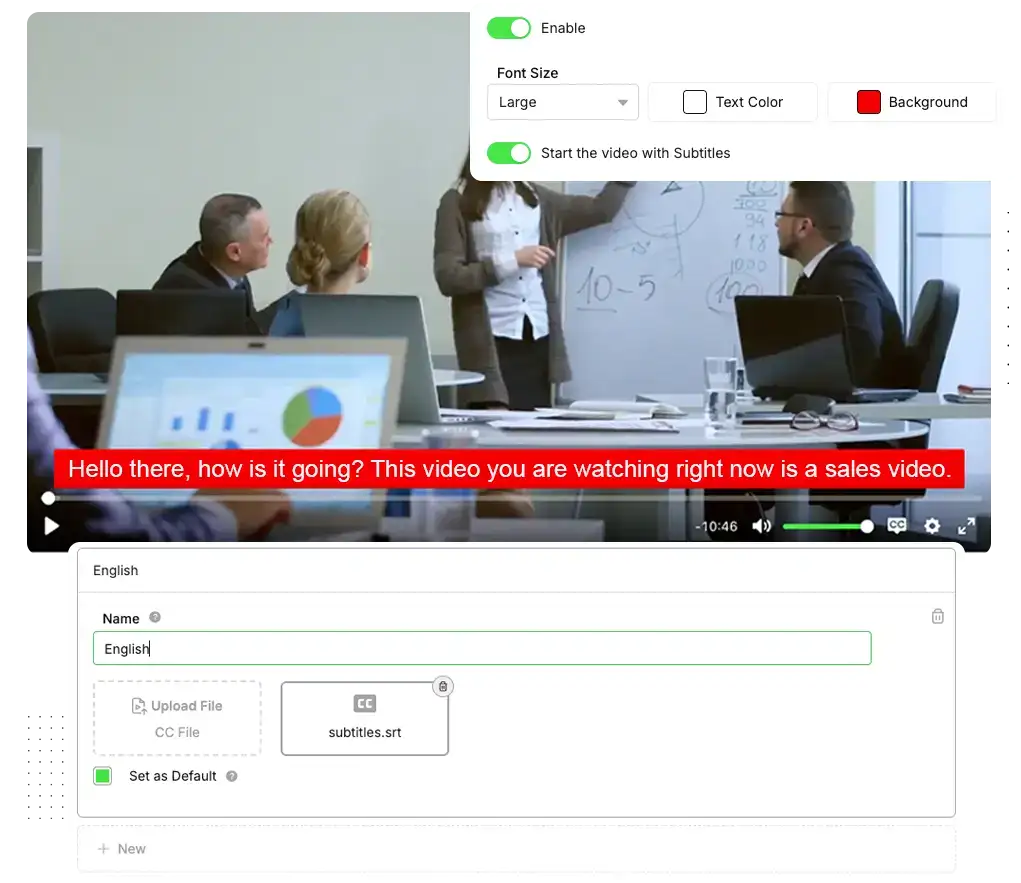
Make your video understood in any context: with Subtitles, those watching without audio, in another language or with hearing impairment continue following the entire message, without missing a single pitch argument. You increase reach, clarity and perception of professionalism in a single feature.
Upload your subtitle files in as many languages as you want, choose which will be the default, set font size, text color, background color and if the video already starts with subtitles enabled. The user can turn them on or off whenever they want, with the subtitles perfectly adapted to your design.
- Increase the accessibility and clarity of your videos.
- Reach audiences in multiple languages without re-recording the same content.
In VSLs, classes and members areas, Subtitles help keep the user engaged even on mute, unlock audiences from other languages and elevate the perceived value of all your video content.
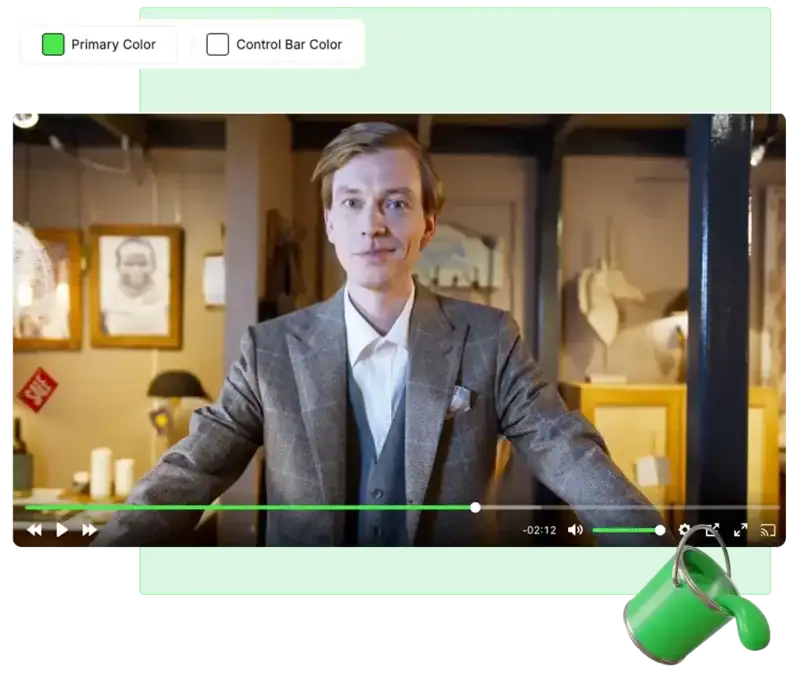
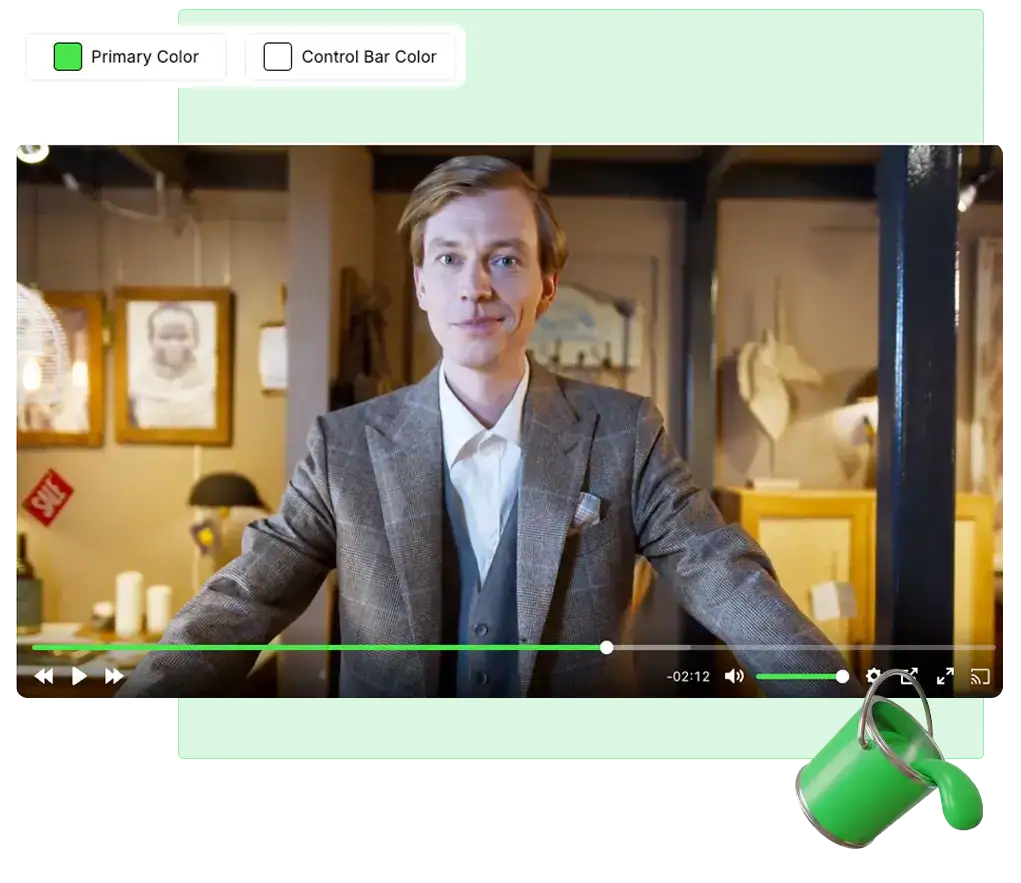
Colors transform the player into a natural extension of your brand. Instead of a standard look, you create an environment that matches the rest of the page, making everything more cohesive, pleasing and looking like a premium solution, not a generic player embedded on the page.
In the Viteo dashboard, you choose the primary color and the specific control bar color for that video, adjusting shade and contrast until it matches the page layout, logo and your brand's aesthetics.
- Create a more immersive visual experience cohesive with your site.
- Increase the feeling of professionalism, trust and perceived value.
On sales pages, members areas and paid content, a player with custom colors helps reinforce branding, reduce "visual noise" and improve the experience, watch time and viewer attention.
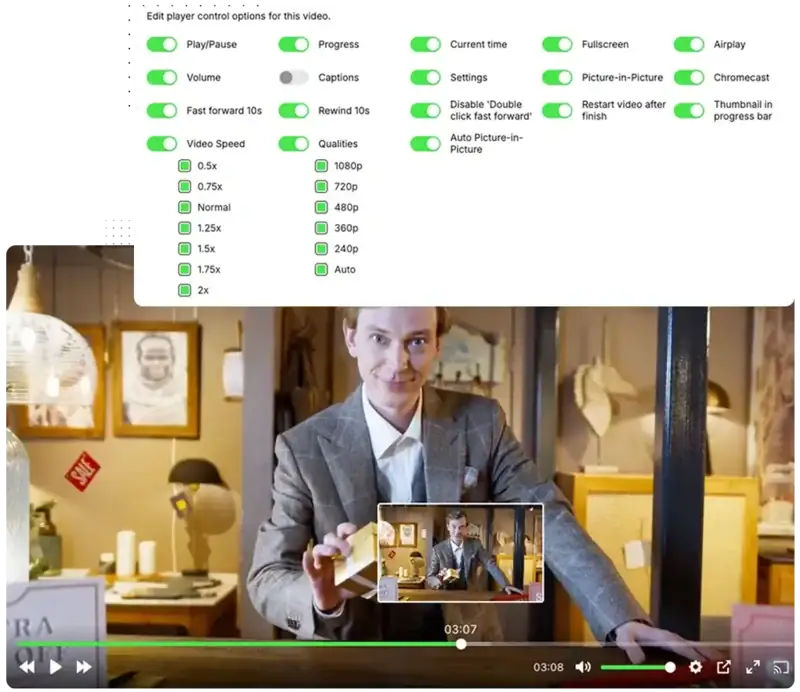
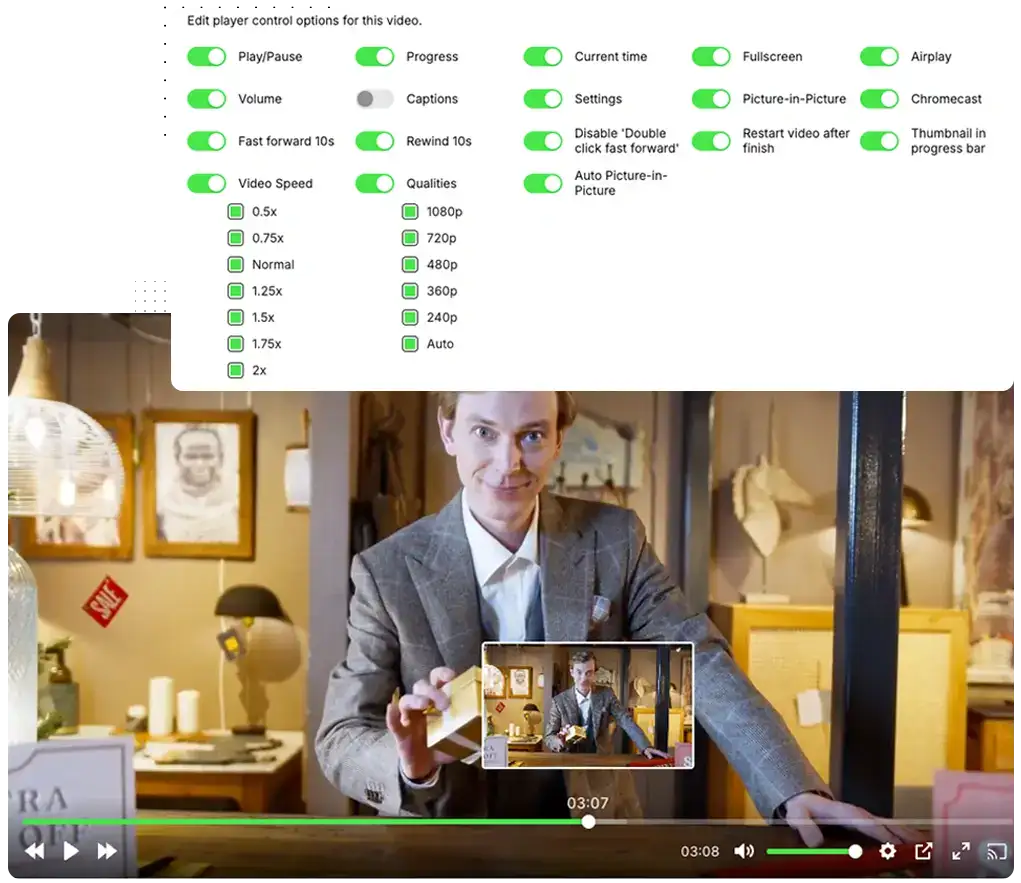
Define exactly how the user can interact with your video. Enable or disable progress bar, time, speed, fullscreen, volume and forward/rewind shortcuts to create the ideal experience.
In the dashboard, you turn on and off features like speed, forward/rewind 10 seconds, thumbnails on the timeline, subtitles, Picture-in-Picture, AirPlay/Chromecast and auto restart. Each tweak changes how much the viewer can "mess" with the video and how much they follow the flow you designed.
- Create more focused experiences for conversion content.
- Make educational videos much more practical to review and navigate.
In practice, you stop treating every video the same. Each content gets the ideal behavior: more strict when every second of attention counts, more flexible when the priority is to facilitate review, study and continuous consumption.
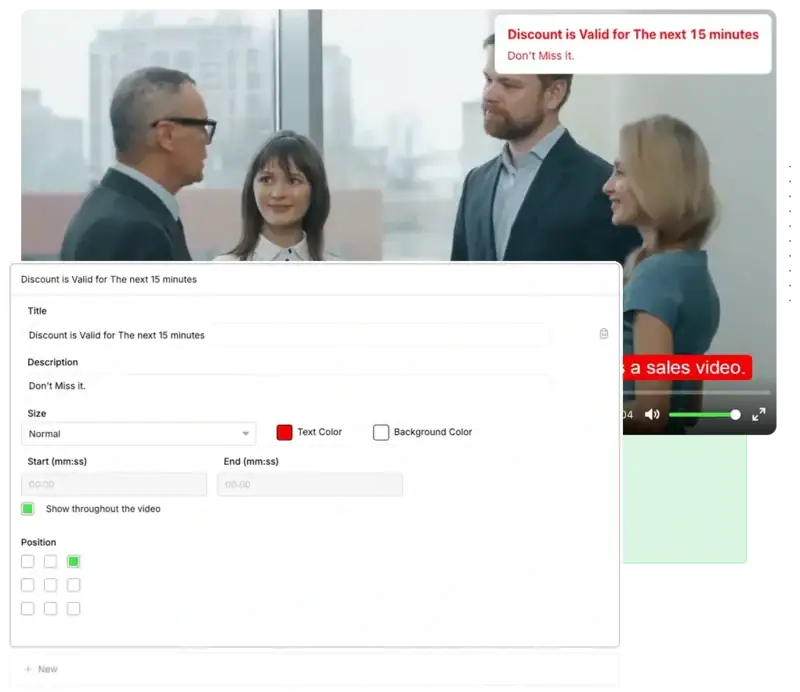
The right notes at the right seconds make the student learn more and the lead buy with more confidence. In classes, Notes serve to mark definitions, steps, alerts and summaries; in VSLs, to highlight promises, bonuses, special conditions and the final CTA.
Each note can have its own text, color, size and position, with start and end defined on the timeline. You build a line of annotations that follows the explanation in the course and, at the points where the copy carries more weight, comes in as a direct visual reinforcement of the offer.
- Increase content clarity in courses and members areas.
- Use notes to make the VSL's CTA impossible to go unnoticed.
Use Notes in dense classes, content funnels and sales videos to unite strong didactics with visual persuasion, without needing to re-record anything.
It's not just the video that gets an extra layer of protection: you can also upload and display images using the same security, stability and control infrastructure from Viteo. Your art, creatives and visual materials start running with anti-download, blocks against misuse and much more reliability.
In the dashboard, you upload the images, apply a text or logo watermark, adjust color, size and opacity, and generate the embed ready to put on your site, members area or any external page, all already tied to the same secure environment where your videos are.
- Protect strategic images with the same protection strength as your videos.
- Centralize visual creatives, player and security in a single ecosystem.
Perfect for exclusive materials, campaign creatives, image format handouts, mind maps and any visual that you want to increase both customization and security.
Forms
Massively increase your lead capture conversion by placing the form inside the video and capturing the lead exactly at peak attention. Registration happens without the user leaving the screen, and the next step of the funnel triggers automatically.
Choose the perfect moment for the form to appear in your video, define the fields you want to collect and what happens after submission (continue the video, skip to another section, open another page or start another video) and connect everything with ActiveCampaign, Mailchimp, Webhook or directly in the Viteo dashboard.
- Reduce your CPA/CPL and capture more leads with the same traffic.
- Decrease the use of other tools and integrate everything in 1 place.
Use Forms in launch VSLs, evergreen funnels, recorded classes or webinars to capture leads much easier and faster, and already integrate with your CRM or email list for the next funnel stages.
Paths
With the Paths tool you create inside your own video multiple paths that the viewer can follow. Choose when the question will appear, the possible answers, and the action of each button, like starting a new video or skipping to a different section of the current video.
Segment your viewers inside the video itself, and increase retention and conversion with personalized content specific to each segmentation. And track everything through detailed analytics.
- Segment your audience in the video itself, and increase retention.
- Create multiple funnels with a single video, testing different messages and offers.
You can use different videos and copy for different audiences within the same video, such as Men/Women, Beginner/Advanced and Already Knows/Doesn’t Know, for example.
Quiz
Increase the retention and interaction level of your videos. With Viteo Quiz, you insert strategic questions inside the video to keep the viewer active, thinking and clicking instead of just watching passively.
Choose the moment each question appears, define alternatives, which answer is correct and whether the quiz is mandatory or skippable, using the content to reinforce learning or warm up even more for the offer.
- Increase engagement, retention and attention level.
- Use the answers to set the stage before the pitch and increase conversion.
Use Quiz in VSLs, recorded classes or members area videos to test if the person understood, reinforce key points and keep attention high until the final CTA.
Custom Ads
Transform the beginning of every video into the most profitable space of your funnel. With Custom Ads, you run an offer video of yours before the main content, 100% focused on your products and with a CTA ready to click.
In each player, you choose exactly which ad goes in, whether it’s skippable or mandatory, after how many seconds “skip” appears and which button leads to which page, making each video sell the next product even before the class starts.
- Cross-sell and upsell other products easily.
- Increase the average order value without creating extra pages or parallel funnels.
Use Custom Ads in members area videos, recorded classes and evergreen content and do upsells and cross-sells smartly. Or in your VSL as a pre-hook.
Watching Now
With Watching Now you put strong social proof inside the video, displaying how many people are watching at that exact moment. Increasing authority, social proof and scarcity.
You choose whether to show the real viewer count or a customized count, and even define from how many viewers the number appears (for example, only above 10 people).
- Increase the perception of authority and social proof.
- Increase your video’s watch time by showing the viewer that other people are still watching.
Use in VSLs, classes and members areas to maintain the “full room” feeling and increase watch time without changing a line of your copy.
Smart AutoPlay
Smart AutoPlay activates the video automatically as soon as the page loads, increasing the play rate by pulling the visitor’s eye to the player, generating immediate curiosity and increasing total funnel conversion.
You choose the autoplay layout, text, colors, image or even a specific background video, plus highlight effects to encourage clicking. When the visitor interacts, the main video restarts from zero with audio, so they can follow the complete message the right way.
- Increase the amount of visitors to your site who actually play your video.
Generate curiosity and increase the conversion rate of your videos.
On VSL pages, Smart AutoPlay usually increases the number of people who actually press play and make it to the offer moment.
Resume Play
With Resume Play turned on, anyone who returns to the same page doesn’t need to start all over again: the video uses cookies to remember the exact point and asks if the person wants to continue from there or restart. You leverage each reentry as a real second chance at closing.
Activate Resume Play and personalize the resume screen: background color, text color, main message and the text of the “Continue” and “Restart” buttons, greatly increasing the conversion rate at all stages.
- Provides a customized user experience.
- Increase the chance of the user reaching the offer part.
Use Resume Play in evergreen funnels and evergreen content that receive repeated visits every day, to increase conversion of returning visitors.
Dynamic Progress Bar
Make your video appear shorter than it actually is, giving the feeling that it is closer to the end. This reduces the impression of “video too long” and makes the viewer commit to more attention time right in the first few minutes.
You choose the bar height, set the speed (1x to 2x) and configure at what point it returns to normal, such as at 30% or 50% of the video. In a few clicks, the player works in your favor, giving a feeling of speed without altering the content.
- Make the video feel lighter and faster to watch.
- Increase retention at the most critical point of abandonment: the beginning.
In long VSLs, this simple tweak usually holds many more people until the offer moment, increasing conversion and retention.
Video Speed
Adjust the default video speed to find the exact pace that makes your audience watch more, skip less and arrive much more prepared and with greater frequency at the offer part.
In the Viteo dashboard, set the default speed of each video (such as 1.25x, 1.5x or 2x) and use analytics to adjust the pace according to your audience’s behavior, without needing to re-record or edit the content.
- Make long videos more digestible depending on your audience.
- Increase engagement and completion rate by adjusting the ideal pace for your audience.
Use in long VSLs, recorded classes and denser content, when you want to maintain depth, but need the experience to feel faster and more direct.
Headlines
A strong Headline transforms the top of the player into the most powerful argument on the page: a visual callout that hits straight at the promise and makes the visitor stop, read and click play. Greatly increasing play rate, retention and conversion.
You can use different images in the same video, choose what minute they appear and configure distinct headlines per device. Track through analytics which one gives more conversion, retention and results.
- Increase the play rate with a strong visual callout above the player.
- Test multiple Headlines for different audiences and devices.
In VSLs and classes, a strong Headline usually increases the play rate and the number of people who reach the offer pitch. You can test different Headlines for different traffic sources and devices.
Thumbnails
When the user pauses, attention starts to slip away, and that’s where you can turn the game around. With Smart Thumbnails, instead of a random frozen frame, they see a clear message of offer, benefit or urgency that pulls them back into action.
You can set a Thumbnail for the beginning, others for specific excerpts of the video, or also for the end of the video, each one being able to have a button with customizable text, link, position, size and colors, transforming any paused screen into a CTA.
- Leverage pauses and attention drops to reinforce your offer.
- Recover those who paused, and show different messages during the video.
Increase curiosity with the initial thumbnail, recover those who paused at specific moments in the video with segmented messages and lead the user to the next stage of the funnel with a final thumbnail totally focused on the CTA.
Intra Hooks
It’s perfect to avoid abandonment at the most sensitive moments of your VSL: you insert visual hooks that remind them of the promise, bonus or opportunity before the CTA, holding the viewer longer.
You choose where each intra-hook goes in, how long it stays on screen and what region it appears in, and then analyze through Analytics which moments and messages most increase retention and advancement to the sales part.
- Combine copy + image inside the video to recover attention in critical stretches.
- Improve retention and conversion without needing to change the video itself.
Use in your VSL to prepare before the CTA, reinforce promises and break objections, just as you can use this feature to enrich members area content with more information in the video.
Smart Watermark
Protect your videos and images without ruining the viewing experience. With Smart Watermark, your content is clearly identified with your name or logo, making reuploads, clipping and misuse elsewhere difficult.
Choose to use text or image, adjust color, opacity and size and set whether the watermark stays fixed or moves around the player. In the video, you choose which areas it appears in and the speed of the movement. On images, it applies statically, ready for publishing.
- Further protect your content against unauthorized copying and re-uploading.
- Reinforce your brand in every video and photo, conveying more authority and professionalism.
In exclusive content, premium classes or VSLs, you increase the security of your video and together with Viteo’s other security features, protect your videos and images even more.
Buttons
With Buttons you make the CTA enter the scene exactly when the pitch happens, inside or right below the video. No loose buttons on the page ahead of time: the person hears the offer and, in the exact same second, sees where to click to move forward.
In the Viteo dashboard, you choose the exact second of entry and exit, whether the button stays the whole video or just in a section, define position, size, text, link, color and hover, and track everything through Analytics, testing different copy and visuals across various videos.
- Show the button directly in your video, at the exact moment of the pitch.
- Improve performance by measuring which color, text and position brings the highest volume of clicks and conversion.
Ideal for VSLs, offer pages, upsells, webinars and evergreen funnels, making your CTAs much smarter, timed and ready to convert at the exact moment.
Pixels
Watch time is one of the strongest intent signals there is, and you can turn this into data for your ads manager. When the pixel fires based on how much of the video was watched, your media buying starts to understand which audience is truly engaged.
Register as many pixels as you need, configure name, ID and code and choose at what moment of the video each event is sent, creating audience layers: who just pressed play, who watched half, who reached the pitch, who bought.
- Optimize conversion and remarketing campaigns based on video watch time consumed.
- Create much more qualified audiences based on how much of the video each person watched.
Use Pixels throughout your video journey to continually refine audiences, making each new campaign more precise, more profitable and less reliant on guesswork.
Big Play Button
The Big Play Button is your player’s “visual shout”: a large play button, in the center of the screen, designed to prevent the video from going unnoticed. It catches the eye of those arriving on the page and reduces the chance of the user simply scrolling without watching.
When autoplay is activated, the button springs into action again whenever the user pauses, taking up the center of the player and serving as a strong visual reminder to continue from where they left off, instead of closing the tab or getting distracted by something else.
- Increase the play rate by making the play a clear and striking visual target.
- Recover attention when the video is paused, stimulating the user to resume watching.
Greatly increase your video’s play rate, generating curiosity and making it much clearer to your page’s visitors that a video is ready to be played.
Auto Picture in Picture
When the user switches tabs, you usually lose their attention. With Auto Picture in Picture, the video “goes along”: it continues playing in a fixed thumbnail in the corner of the screen, keeping the message active even while the person browses other sites.
Simply activate the function in the Viteo dashboard and, whenever the viewer leaves the page, the player shrinks in size but keeps running in floating mode, ensuring they finish hearing the content without having to choose between watching or doing something else.
Increase average watch time and video completion.
Avoid abandonment from simply switching tabs or multitasking.
With Auto Picture in Picture the user has by default an even more premium experience, and it also increases the retention of your videos.
Video Templates and +
Instead of building the player from scratch every time, you turn a well-configured video into a model: save it as a template and reuse the same layout, branding and features on the next videos, applying the template directly from the dashboard, in seconds.
If you want to go further, use that template’s ID in your API integration, defining that every video sent via API goes to a specific folder, and already uses this template created by you, with logo, colors, buttons, forms and other features activated exactly as you decided.
- Create custom templates that are fast and easy to use
- Gain scale by connecting the Viteo API and automatically applying the same setup to hundreds of new videos.
You can test the same video, but changing only a specific detail in each one, and by using the template you save the time of configuring everything again.
And through the API, you can define that all videos uploaded by that API will come with that specific template, whether with your company logo, colors, or other features.
Playlist & Watch Next
Create a better experience for viewers by connecting what to watch next automatically, increasing watch time, engagement and retention, encouraging the user to continue.
Build playlists with one or several videos, organize the exact order, rename the list and configure the “next video” screen with your own text, countdown and color scheme, creating a seamless and professional experience.
- Prevent the user from getting distracted between one class and another or between funnel steps.
- Keep the user inside your content ecosystem for much longer.
Use Playlist & Watch Next in online courses and training tracks to make the student binge-watch entire modules without leaving the player. Or play in sequence in marketing funnels, decreasing friction between one video and another.
Recommended Videos
Recommended Videos is the simplest way to prevent the user from watching a single video and leaving. As soon as they pause or finish, the screen itself suggests other content of yours, encouraging them to keep watching without leaving your environment.
In the dashboard you manually select which videos will enter the recommended section, define the strategic order, edit the title, adjust the text color, plus choose whether the recommendations appear at the end, on pause or both.
- Increase retention by guiding the user to the next content.
- Build a logical sequence of content that increases trust, value and engagement.
In structures with video funnels, communities and recurring content, this helps to hold the audience for much longer consuming exactly what you want them to see.
Custom Logo
Give the player your brand’s face. By displaying your logo directly in the video, you increase the feeling of your own platform, convey more professionalism and make the user instantly recognize whose content that is.
In the Viteo dashboard, simply choose the logo file and enable the display: the player takes care of showing it in the lower right corner of the control bar, without needing to edit the video file or touch code.
- Increases the authority and customization of your videos.
- Convey more trust in VSLs, paid content and classes.
Use Custom Logo in VSLs, sales pages, members areas and exclusive content to give the player your brand’s look and reinforce authority in every video watched.
Chapters
Chapters turn long videos into clear blocks of content. Markers on the progress bar show where each topic begins and, when hovering over, the viewer sees the title of each section, instantly understanding the video’s structure.
In the Viteo dashboard, you define the timestamp and name of each chapter, create as many as you want and organize everything in sequence. This makes it easy to go back to specific points, review important themes and navigate the video without frustration.
- Transform extensive videos into a guided and structured journey.
- Improve the viewer experience with organized information.
In classes, trainings and denser content, chapters greatly increase the user’s feeling of control, improve the experience and make them consume more of your content with less effort.
Subtitles
Make your video understood in any context: with Subtitles, those watching without audio, in another language or with hearing impairment continue following the entire message, without missing a single pitch argument. You increase reach, clarity and perception of professionalism in a single feature.
Upload your subtitle files in as many languages as you want, choose which will be the default, set font size, text color, background color and if the video already starts with subtitles enabled. The user can turn them on or off whenever they want, with the subtitles perfectly adapted to your design.
- Increase the accessibility and clarity of your videos.
- Reach audiences in multiple languages without re-recording the same content.
In VSLs, classes and members areas, Subtitles help keep the user engaged even on mute, unlock audiences from other languages and elevate the perceived value of all your video content.
Colors
Colors transform the player into a natural extension of your brand. Instead of a standard look, you create an environment that matches the rest of the page, making everything more cohesive, pleasing and looking like a premium solution, not a generic player embedded on the page.
In the Viteo dashboard, you choose the primary color and the specific control bar color for that video, adjusting shade and contrast until it matches the page layout, logo and your brand’s aesthetics.
- Create a more immersive visual experience cohesive with your site.
- Increase the feeling of professionalism, trust and perceived value.
On sales pages, members areas and paid content, a player with custom colors helps reinforce branding, reduce “visual noise” and improve the experience, watch time and viewer attention.
Control Settings
Define exactly how the user can interact with your video. Enable or disable progress bar, time, speed, fullscreen, volume and forward/rewind shortcuts to create the ideal experience.
In the dashboard, you turn on and off features like speed, forward/rewind 10 seconds, thumbnails on the timeline, subtitles, Picture-in-Picture, AirPlay/Chromecast and auto restart. Each tweak changes how much the viewer can “mess” with the video and how much they follow the flow you designed.
Create more focused experiences for conversion content.
Make educational videos much more practical to review and navigate.
In practice, you stop treating every video the same. Each content gets the ideal behavior: more strict when every second of attention counts, more flexible when the priority is to facilitate review, study and continuous consumption.
Notes
The right notes at the right seconds make the student learn more and the lead buy with more confidence. In classes, Notes serve to mark definitions, steps, alerts and summaries; in VSLs, to highlight promises, bonuses, special conditions and the final CTA.
Each note can have its own text, color, size and position, with start and end defined on the timeline. You build a line of annotations that follows the explanation in the course and, at the points where the copy carries more weight, comes in as a direct visual reinforcement of the offer.
- Increase content clarity in courses and members areas.
- Use notes to make the VSL’s CTA impossible to go unnoticed.
Use Notes in dense classes, content funnels and sales videos to unite strong didactics with visual persuasion, without needing to re-record anything.
Image Embedding and +
It’s not just the video that gets an extra layer of protection: you can also upload and display images using the same security, stability and control infrastructure from Viteo. Your art, creatives and visual materials start running with anti-download, blocks against misuse and much more reliability.
In the dashboard, you upload the images, apply a text or logo watermark, adjust color, size and opacity, and generate the embed ready to put on your site, members area or any external page, all already tied to the same secure environment where your videos are.
- Protect strategic images with the same protection strength as your videos.
- Centralize visual creatives, player and security in a single ecosystem.
Perfect for exclusive materials, campaign creatives, image format handouts, mind maps and any visual that you want to increase both customization and security.
Real Impact
Robustness and advanced technology: impact on performance from the very first play.
Minutes of video played
Videos hosted on Viteo
Users worldwide
Videos delivered and available
More Data, More Performance
Advanced Analytics
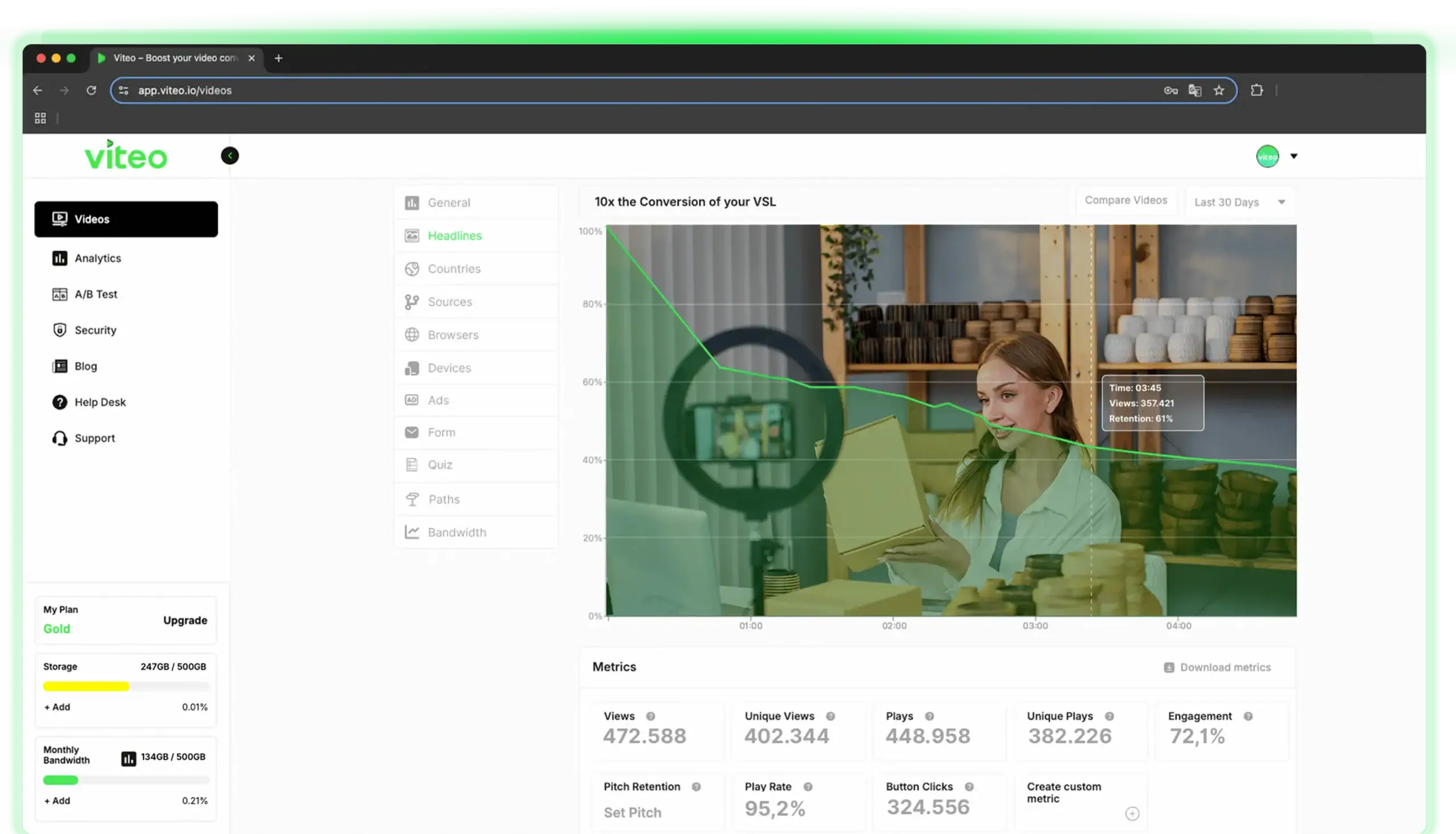
Make decisions based on data, not guesswork. With Viteo’s Advanced Analytics, you get surgical precision to understand your video’s performance and exactly what to improve.
Track retention, engagement rate, play rate, button clicks, and how viewers respond up to the pitch. Discover valuable insights such as location, browser, device, traffic source, and bandwidth usage.
Measure the performance of the tools applied, such as headlines, forms, personalized ads, paths, and quizzes. You can even compare the performance of two videos side by side. Gain more control, more predictability, and more results based on data that leaves no room for doubt.
Test, test, and test again
A/B…Z Testing
You no longer need to guess what works or create different pages to test your videos. With just a single embed code, you can test as many videos as you want on the same page and split the traffic between them however you prefer.
Compare the analytics data across the videos and see which one delivers better retention, more engagement, and better results. Create your own metrics and analyze everything in depth.
You can test completely different videos or the same video configured with different tools, so you can understand what performs best without changing what is already working.
The Most Advanced Anti-Download
Shielded Videos
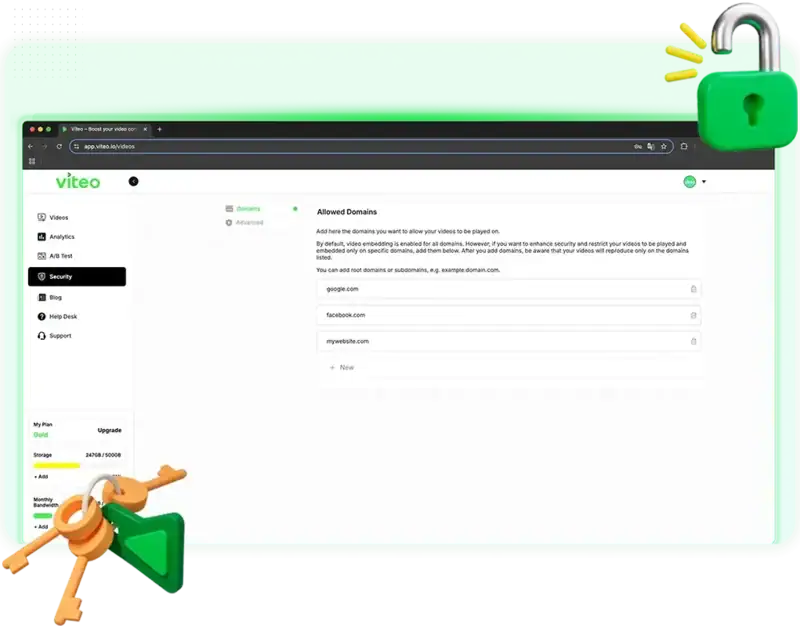
Protect your videos with the most advanced security technology. Shield your content against downloads, copies, and misuse without compromising performance.
Define and limit the display of your videos to authorized domains only. Block any attempt at external playback and keep your content visible only where you decide. Use static or dynamic watermarks on images and videos.
Preserve exclusivity and put an end to piracy. VSLs, paid classes, premium content, and all your intellectual property with total security in every view.
The Most Advanced Technology
We are obsessed with performance. Validated tools, the best API and infrastructure for any scale.
Always Up Technology
99.9% uptime with our global server redundancy. Your videos always live, without losing a single play.
Ultra-Fast Loading
Loading speed that converts. Optimized to run on any device with extreme performance.
Streaming with Global CDN
Content delivered with minimal latency, maximum stability, and speed through servers spread across the globe.
✦ Result
The choice of those who lead
For any market segment, if it involves videos, Viteo powers your operation.
Far more sales with the same video. Proven features to increase conversion, retention, and get the most ROI from your VSLs in a very easy way.
- Features that maximize your Play Rate, Retention, and Conversion
- Advanced Analytics to get the maximum Performance from your VSL.
- Protect your VSL with the best Security Technology on the market
Technology that shields your operation against piracy , and tools that increase perceived value, engagement, and your user’s experience.
- Shield your content with the most advanced Anti-Piracy on the market
- Transform the experience with features for Engagement and Personalization
- Fast, stable, and predictable performance anywhere in the world.
Robust technology to host large volumes of videos, with customization, API integration, and stable streaming performance in any scenario.
- Real scalability with Uptime, Global CDN, and advanced redundancy
- Integrations and API to adapt Viteo to your operation in a robust way
- Total control with customization, security, and stability in delivery
Ready to scale your performance?
Start the free trial right now and see the impact on your numbers.
+ more than 50 thousand users
Join more than 50 thousand users
More than 50 thousand people and companies worldwide have already increased their results and security with our technology.
💭 Questions? Answers.
Frequent Questions
Clarify whatever you need and stay focused on what matters: more sales, more security, more performance.
What is Bandwidth?
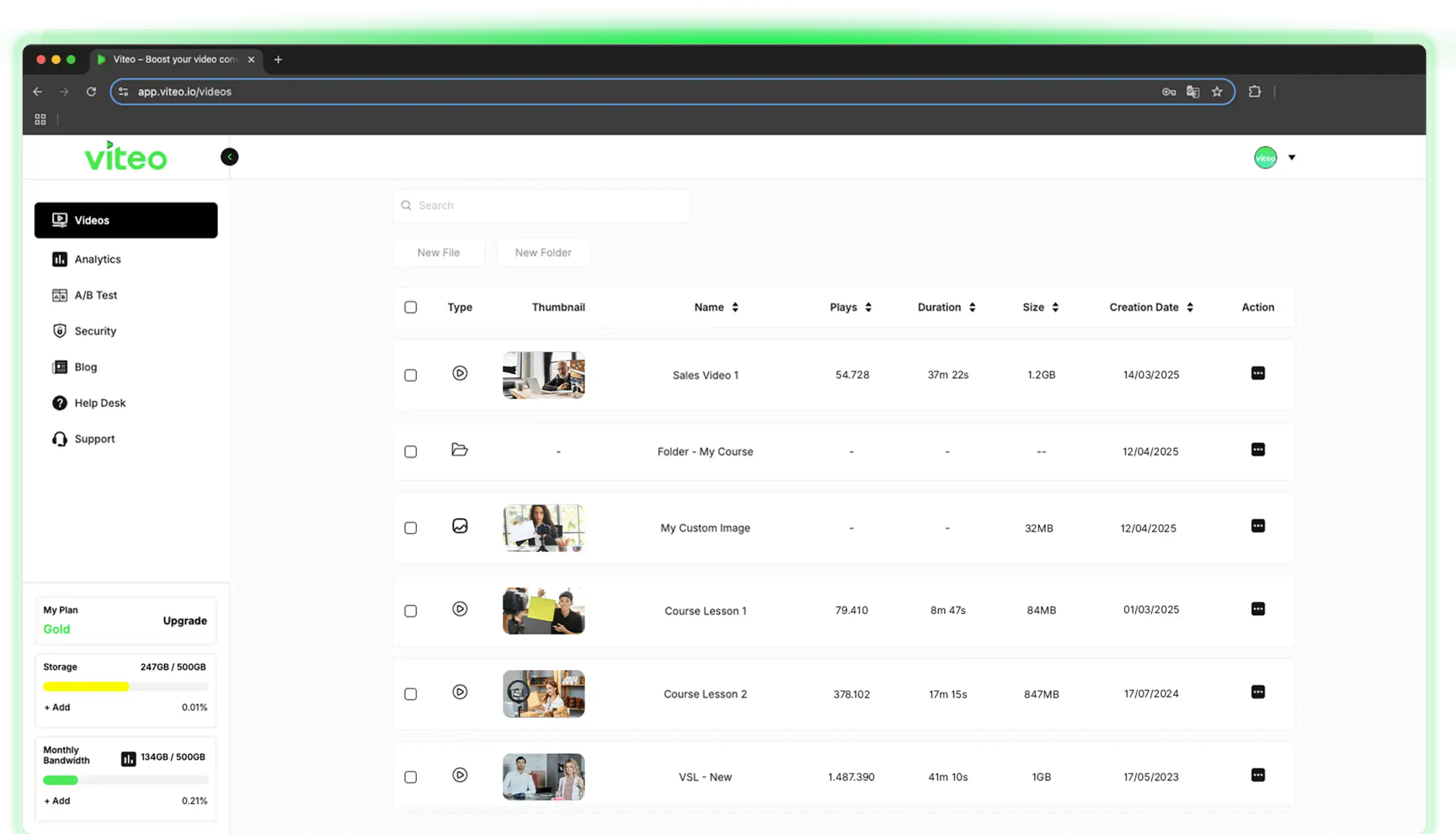
Bandwidth refers to the amount of bandwidth available for streaming your video. The more bandwidth you have, the more plays you can get. The calculation is simple: the amount of bandwidth available in your plan, divided by the average size of your video, results in the estimated number of plays.
For example, with 300 GB of bandwidth, it is possible to have around 8,500 plays, depending on the video size, quality, and retention rate. If a viewer stops watching halfway through, you consume proportionally less bandwidth, equivalent to “half a play” in technical terms.
What is Storage?
Storage refers to how many gigabytes of storage you are entitled to in your plan. In other words, if you are entitled to 200 GB of storage, you can have up to 200 videos of 1 GB each, or 10 videos of 20 GB, for example, or any other desired combination.
What happens if I exceed my limits?
If you exceed the bandwidth and storage limits of your plan, don’t worry: your videos will not go offline, nor will you lose any files.
If you need to exceed the limits of your current plan, you can:
• Upgrade to a larger plan
• Add more storage and bandwidth limit in a customized way in the platform's sidebar
Can I upgrade and downgrade plans?
Yes, of course! At any time, you can make both upgrades and downgrades to your plan very easily, within the platform, in the side menu. It’s simple and fast.
How does the free trial work?
At Viteo, you have the opportunity to test the platform 100% free.
We trust so much in the increase in conversion, performance, retention, and utilization created by our platform that we have complete confidence in our technology.
You can test the platform 100% free for 14 days, or until you reach the free plays limit of 3,000 plays.
How does billing work?
Your plan is billed monthly, on the date you subscribed to the plan. In addition, if you have contracted any additional limit, it will also be charged together to your card.
You can also:
• Change the payment method at any time in your profile
• Add secondary payment methods as backup
Where can I use the videos?
With Viteo's advanced Embed Code technology, you can use your videos and images wherever you want on the internet, such as:
• WordPress sites
• Code applications such as JavaScript, TypeScript, or any other language
• Member areas for your students
Everything in a secure, fast, and stable way.
Do my videos go offline?
At Viteo, you can have peace of mind knowing that your videos will never go offline, thanks to the combination of advanced technologies implemented on the platform, the same ones used by the biggest video players in the market, such as Netflix, HBO, and Disney, which manage gigantic streaming flows every day.
At Viteo, you can count on:
• Global distribution on servers spread around the world via an Intelligent Global CDN system
• Our Always Up technology, which guarantees 99.9% availability (uptime) for your videos
• Intelligent Server Redundancy system
💬 Need Help?
Still in Doubt?
Contact our support and clarify any doubts you may still have about Viteo. It will be a pleasure to help you!
© Viteo 2025 | All Rights Reserved